Thiết lập ACL cho S3 Bucket
Hướng dẫn lưu trữ bản Export trên Amazon S3 Bucket
Khi thực hiện export instance từ môi trường AWS sang các môi trường ảo hóa khác, việc lưu trữ chúng trên S3 bucket là rất quan trọng.
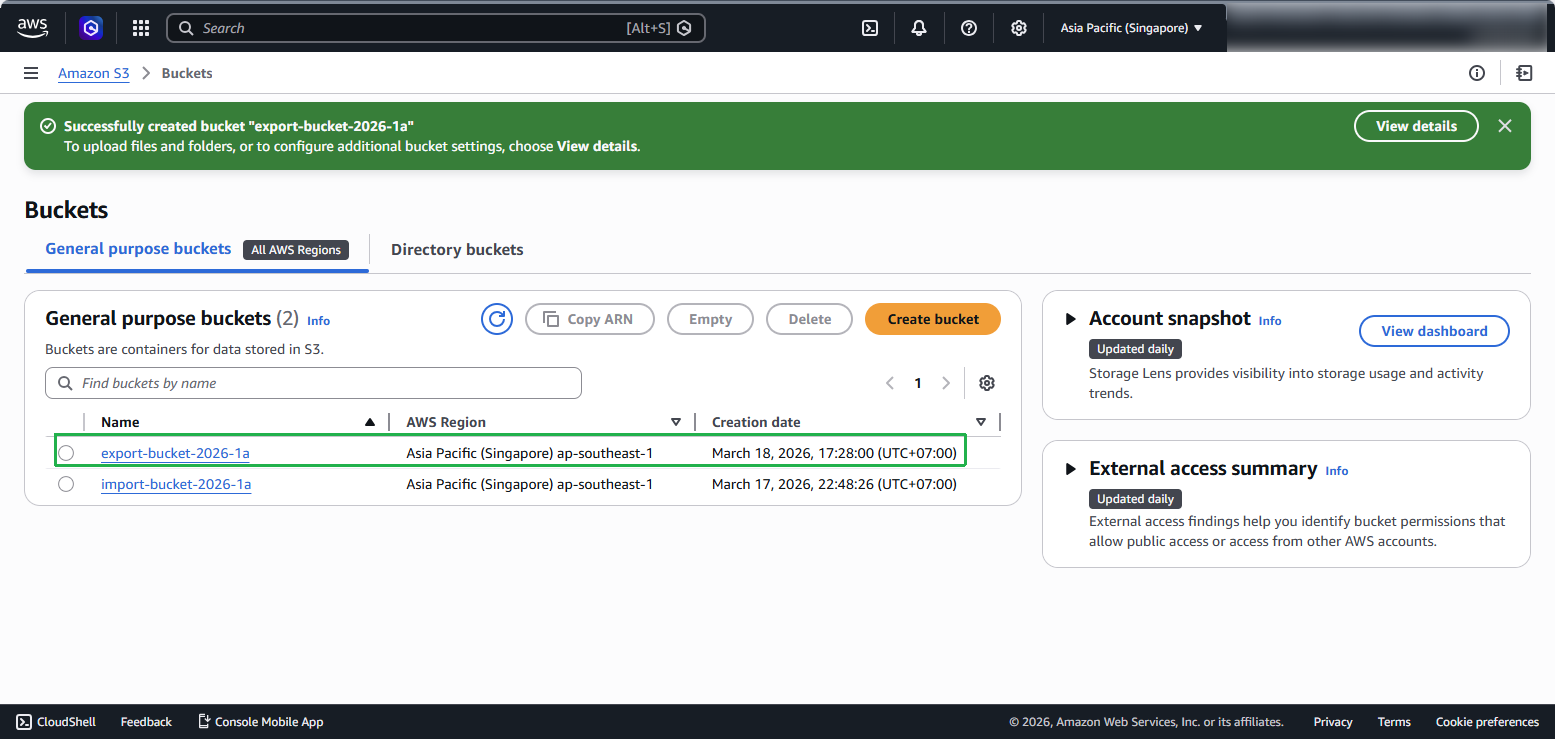
Bước 1: Tạo S3 Bucket để lưu trữ bản Export
Truy cập Amazon S3 Management Console.
Trong navigation pane, chọn Buckets.
Trong trang Create bucket, cấu hình các thông số cho S3 bucket:
Tại mục General configuration, chọn loại bucket là General purpose, sử dụng Global namespace và nhập tên duy nhất cho bucket tại ô Bucket name. Tên này phải là duy nhất trên toàn cầu. (Ví dụ:
export-bucket-2026-1a)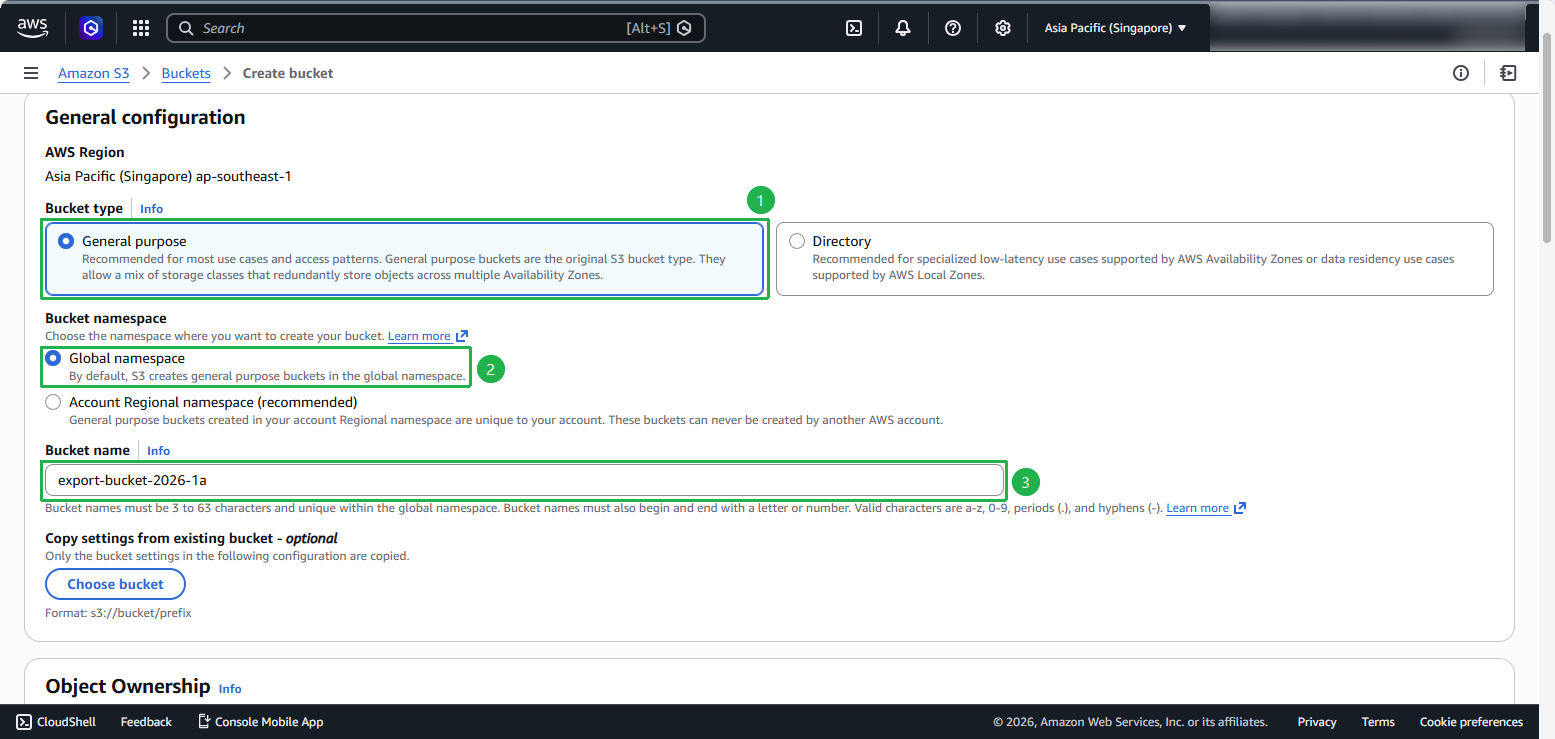
Bước 2: Cấu hình Block Public Access và Permissions
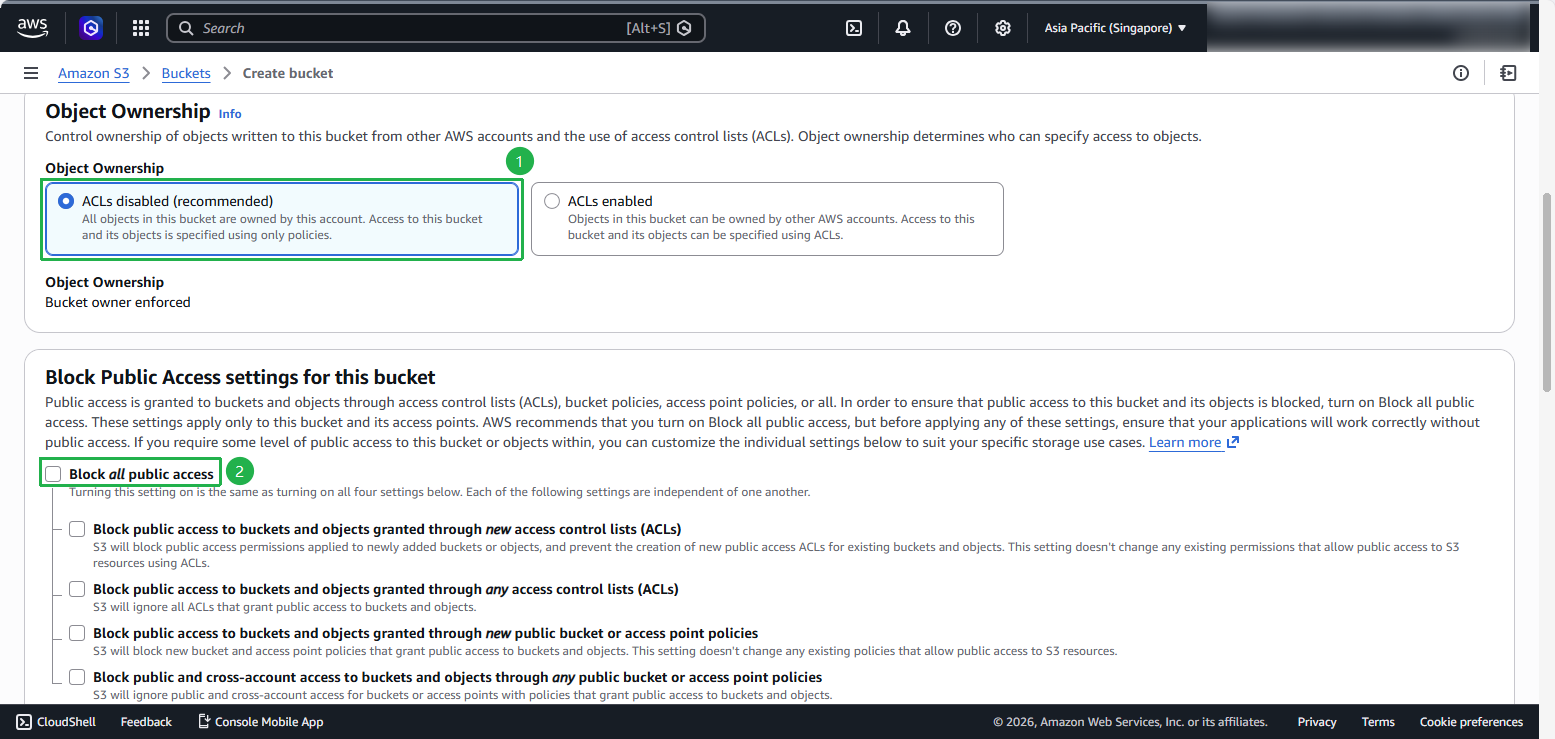
Bỏ chọn Block all public access để cho phép public access. AWS sẽ hiển thị warning, bạn cần chọn I acknowledge that the current settings might result in this bucket and the objects within becoming public.
- Và chọn Disable tại mục Bucket Versioning.
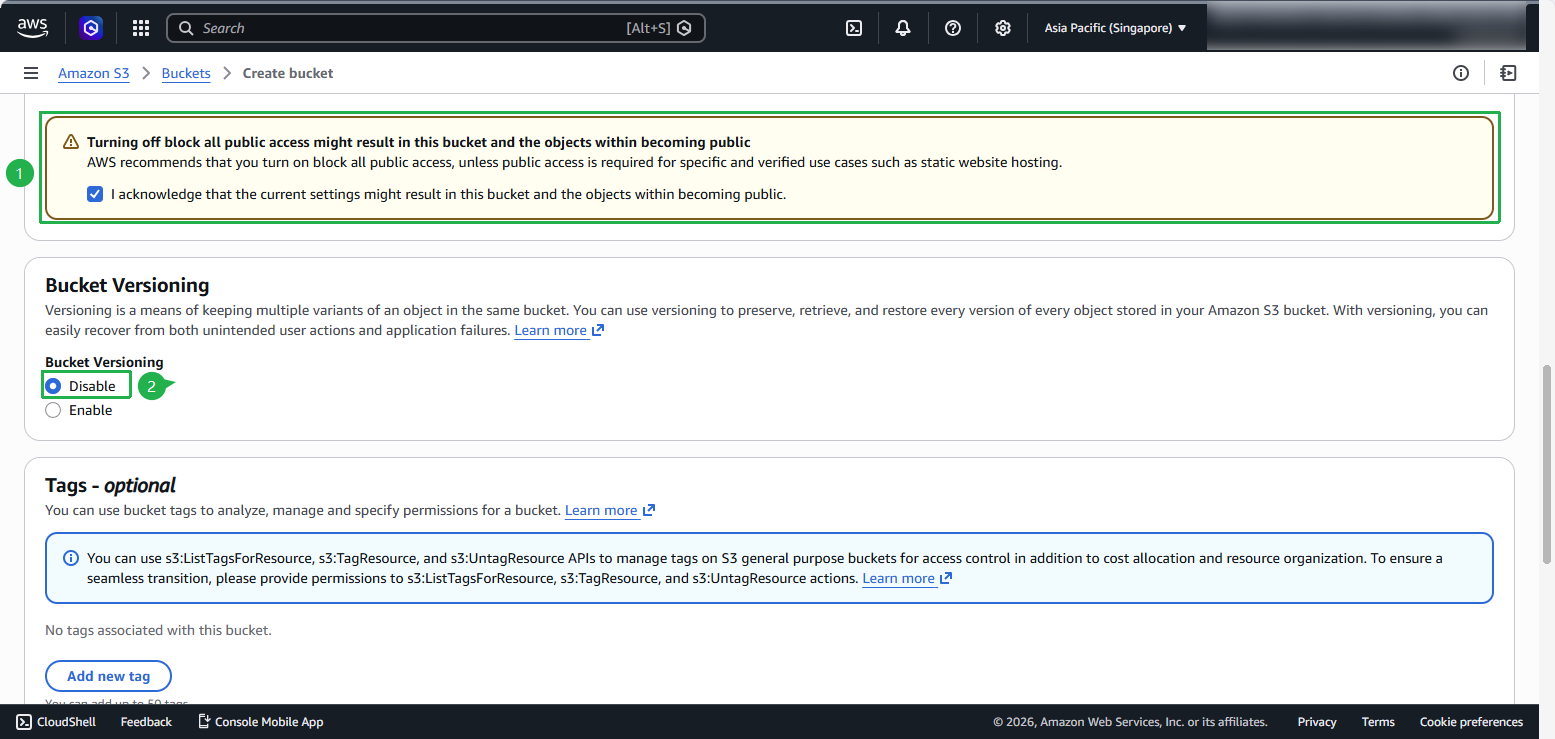
- Và chọn Disable tại mục Bucket Versioning.
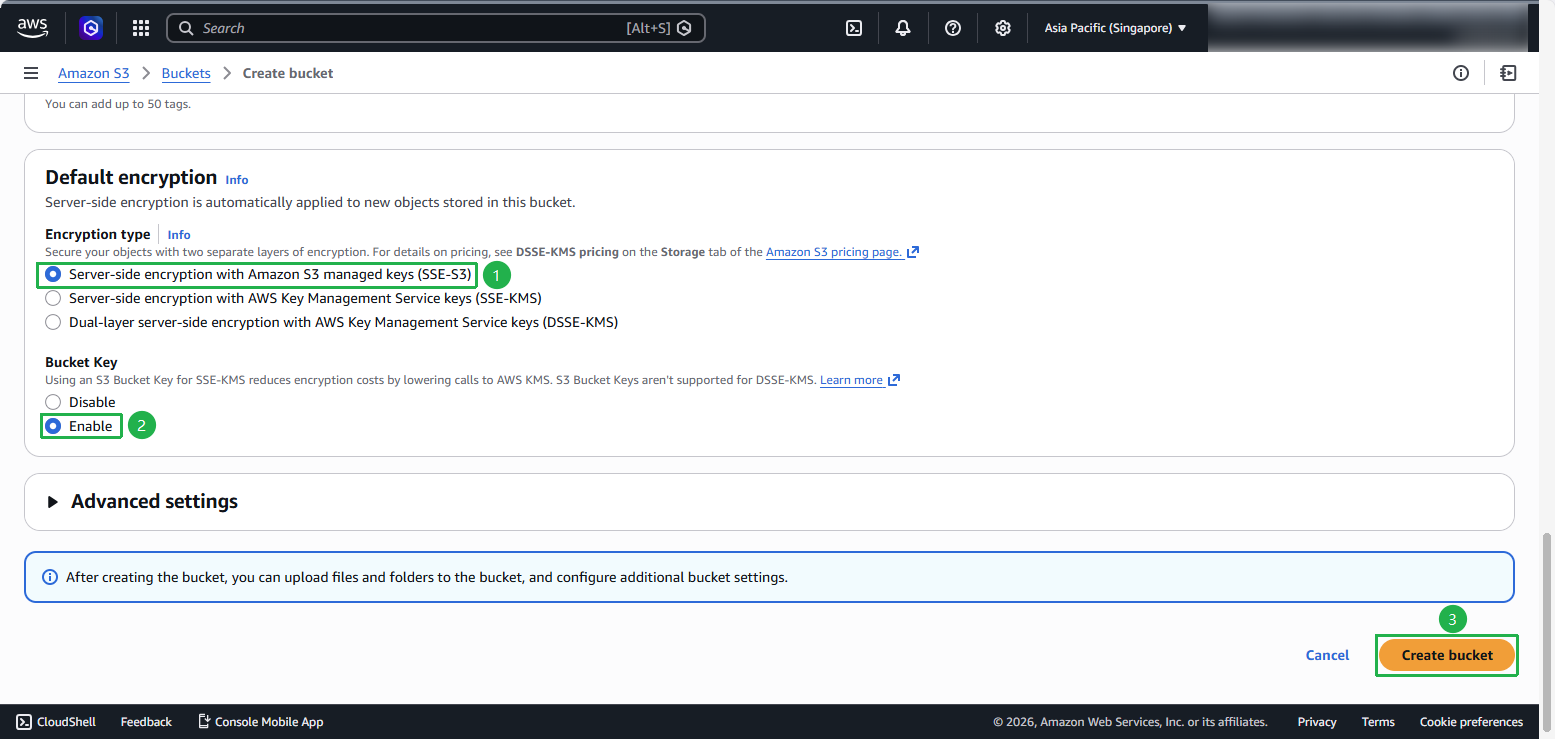
Tại phần Default encryption, chọn SSE-S3, tích chọn Enable cho Bucket Key và nhấn Create bucket để hoàn tất quá trình khởi tạo.
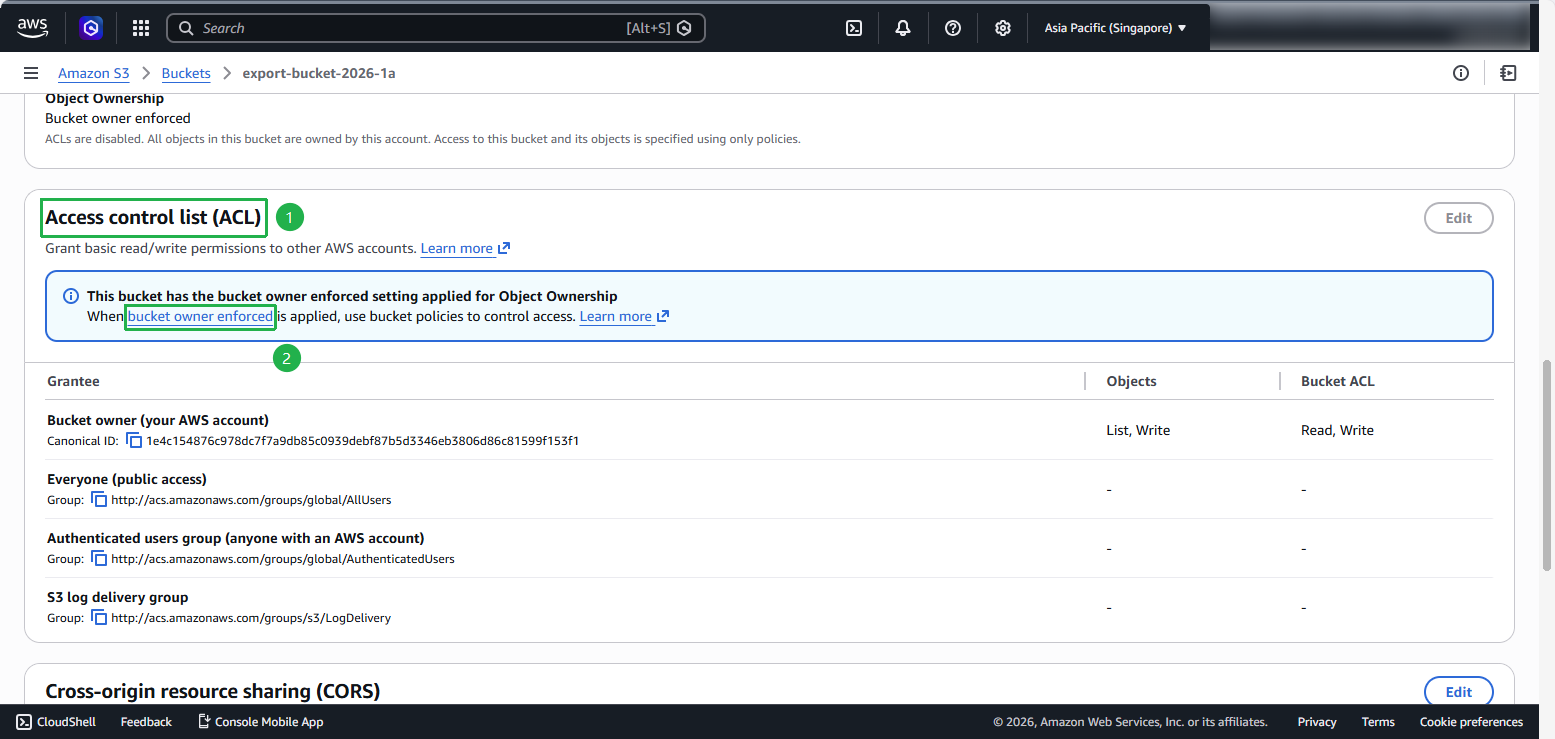
Bước 3: Cấu hình Access Control List (ACL)
Chọn Bucket owner enforced trong phần Object Ownership.
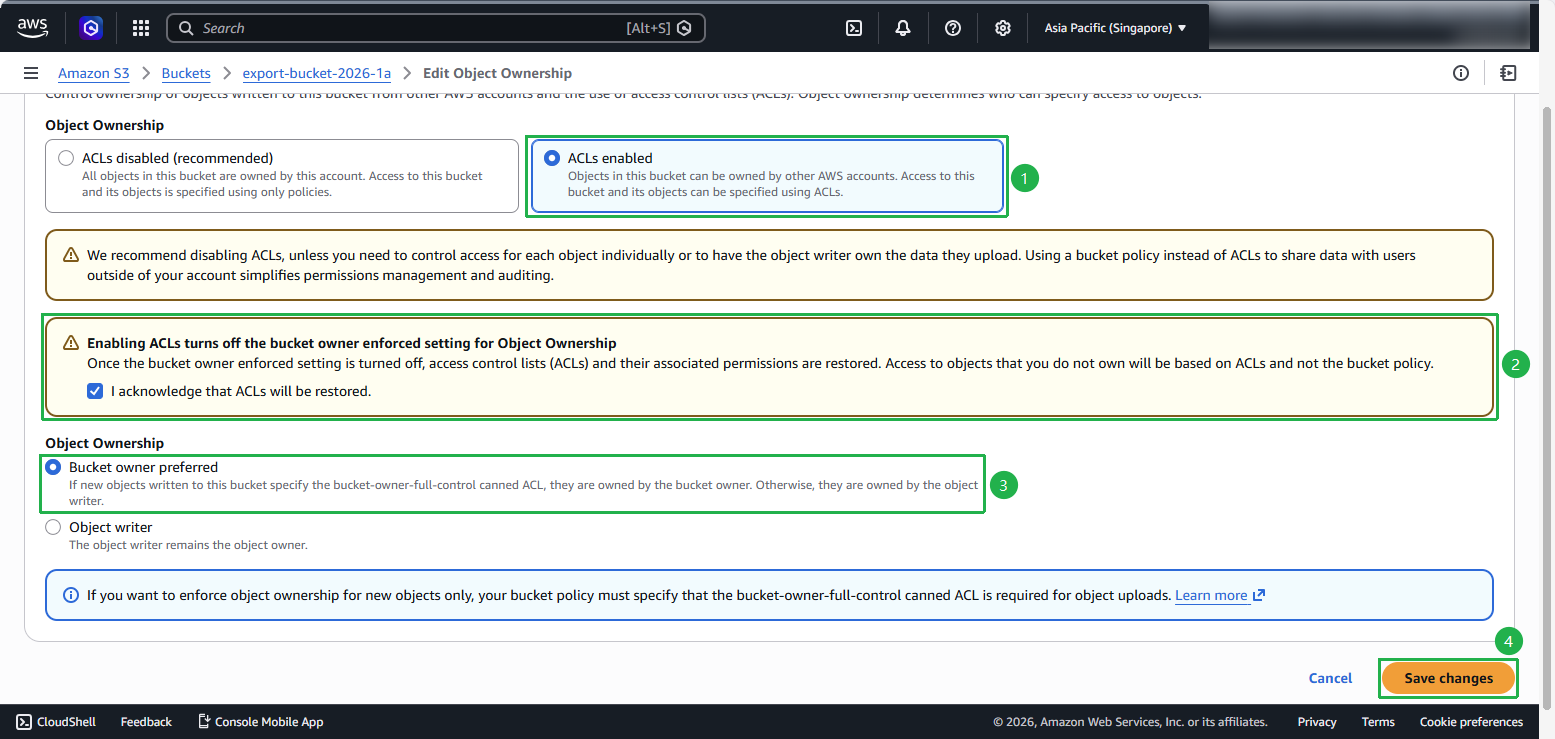
Tại màn hình Edit Object Ownership, chọn ACLs enabled, tích chọn ô xác nhận khôi phục ACLs, chọn Bucket owner preferred và nhấn Save changes.
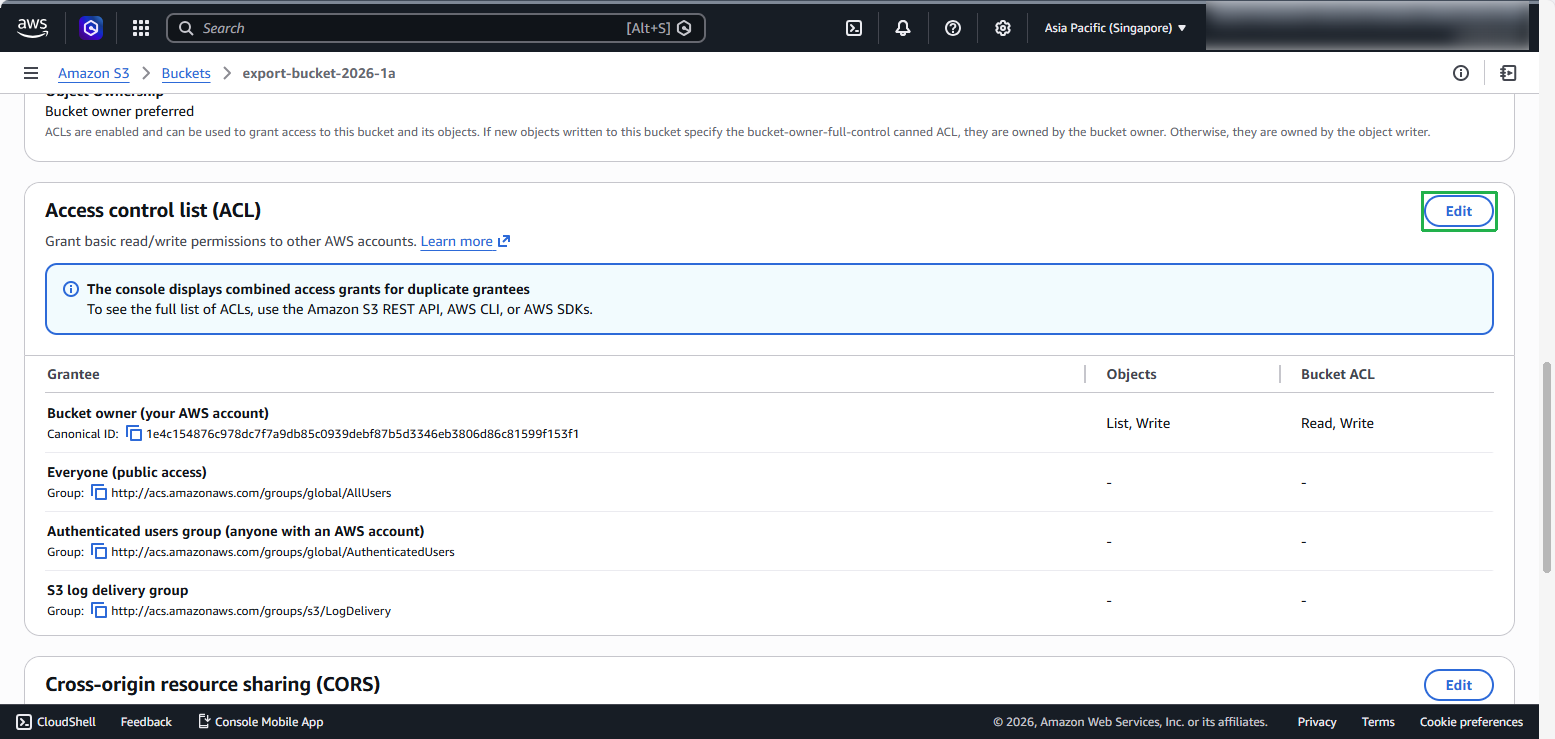
- Tiếp đó chọn Edit.
Click Add grantee.
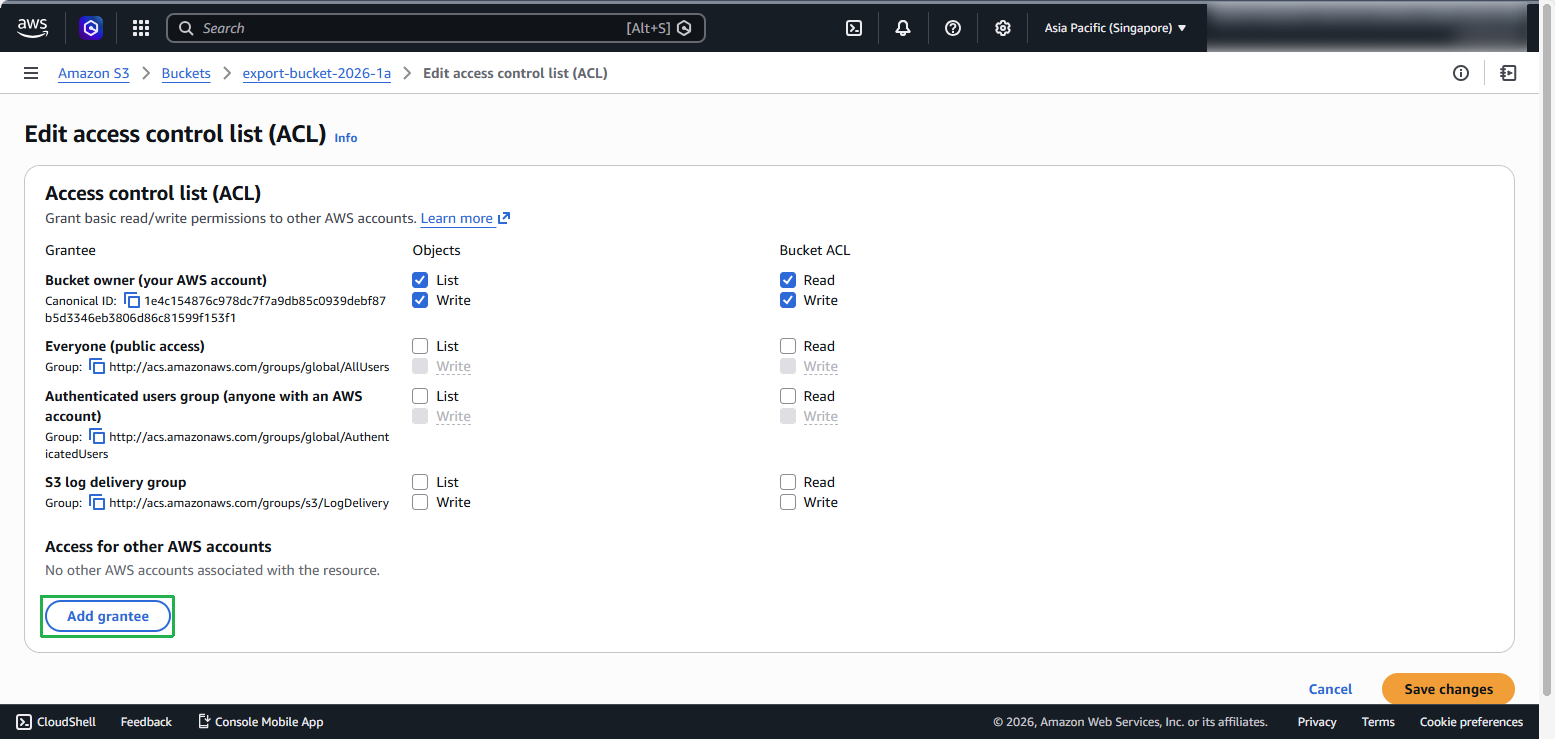
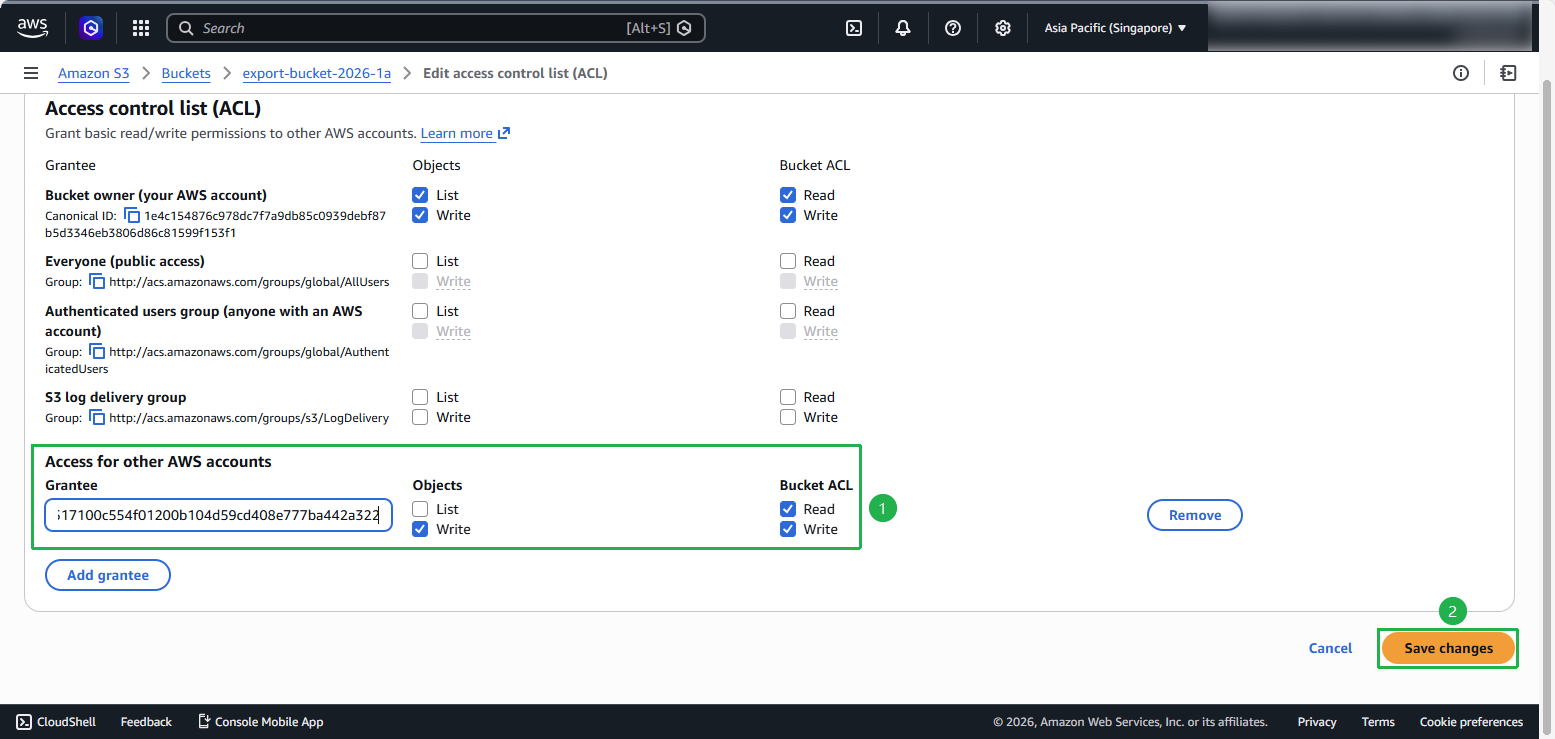
Nhập Canonical ID và chọn Write Objects và Read bucket ACL permissions, sau đó click Save changes.
Thêm Bucket Policy
Vào S3 → Bucket → Permissions → Bucket policy → Edit.
Dán policy tối thiểu sau (đổi tên bucket và prefix ):
{
  "Version":"2012-10-17",
  "Statement":[
    {
      "Sid":"AllowVmImportExportToWrite",
      "Effect":"Allow",
      "Principal":{"CanonicalUser":"c4d8eabf8db69dbe46bfe0e517100c554f01200b104d59cd408e777ba442a322"},
      "Action":[ "s3:GetBucketAcl", "s3:PutObject" ],
      "Resource":[
        "arn:aws:s3:::export-bucket-2026-1a",
        "arn:aws:s3:::export-bucket-2026-1a/exports/*"
      ]
    }
  ]
}
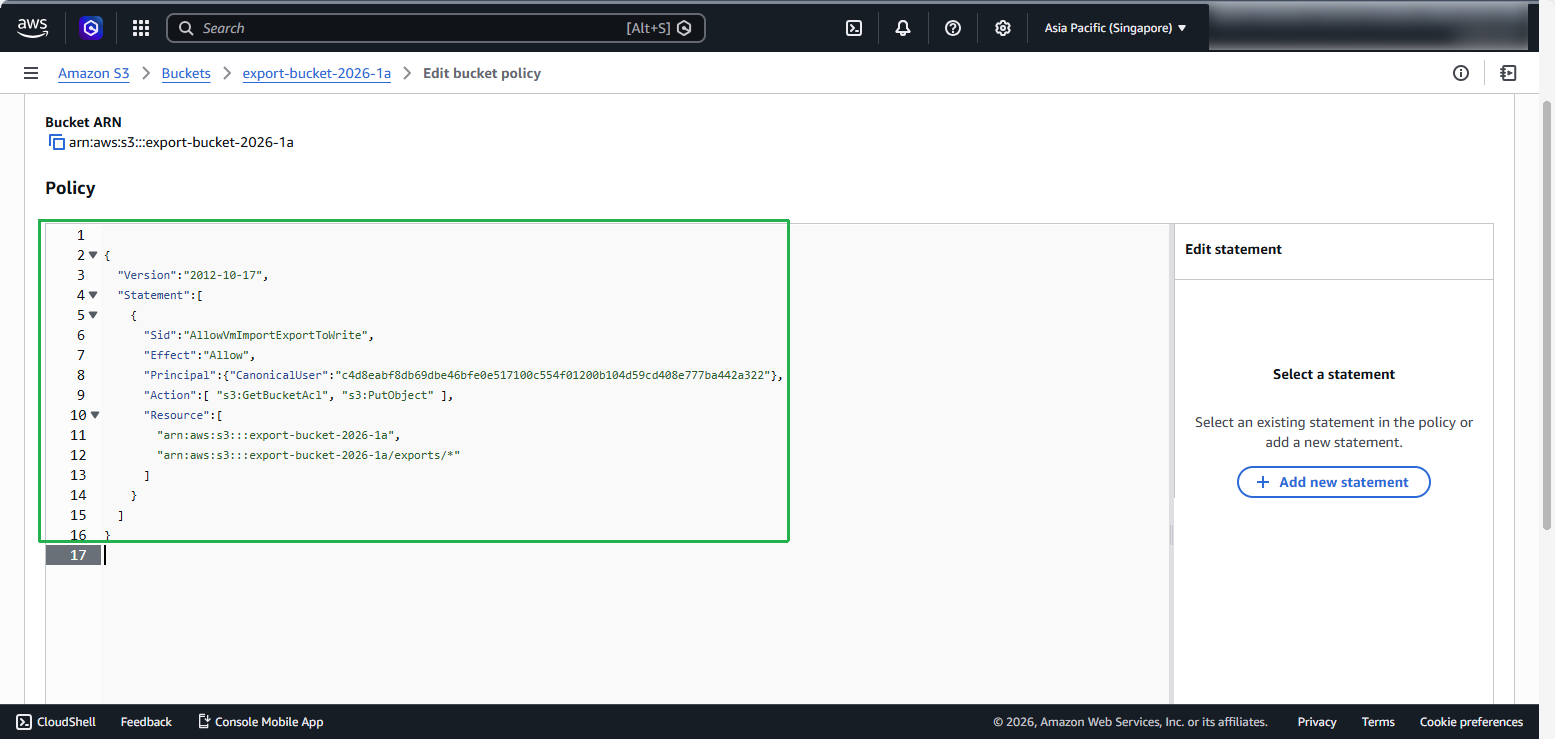
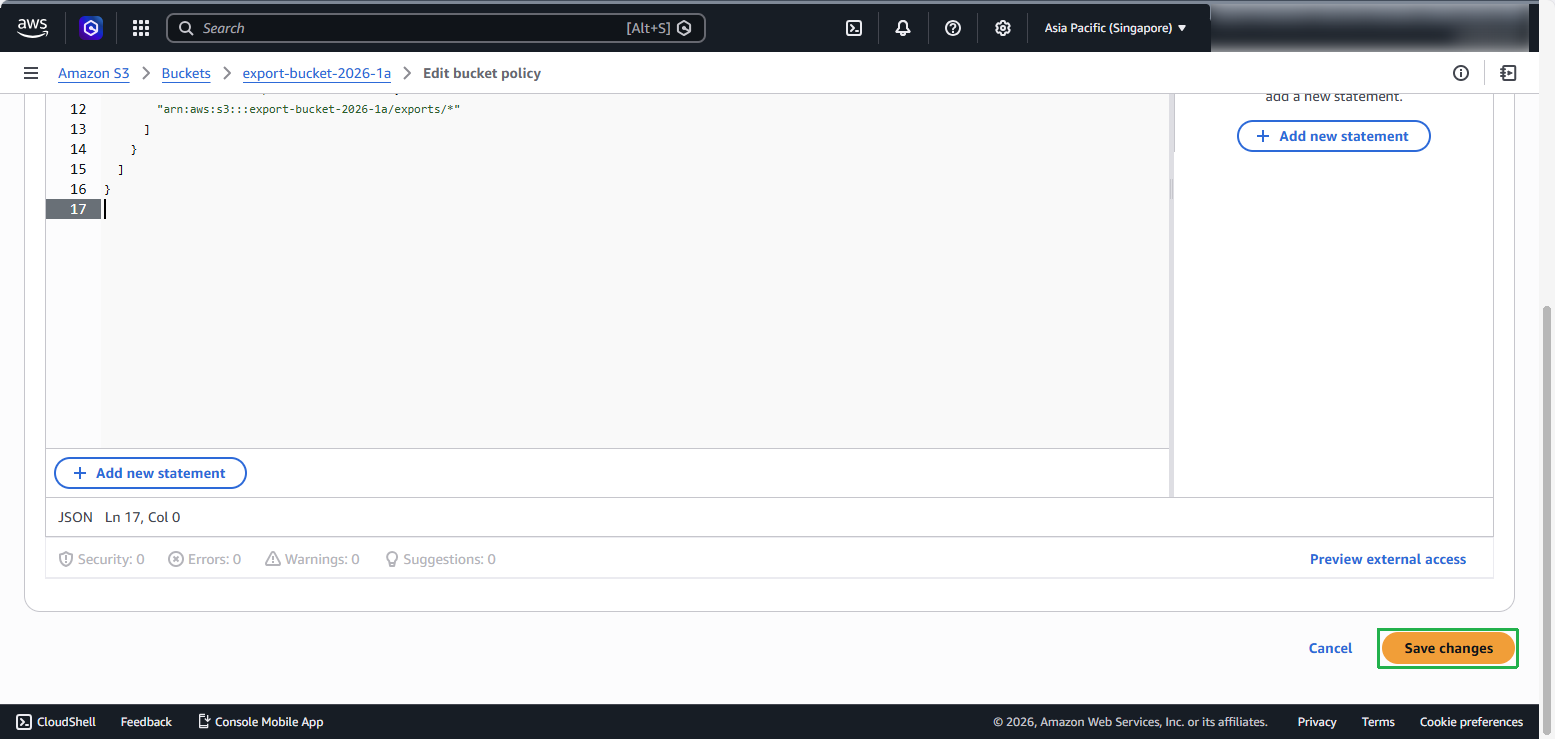
- Chọn Save change.
Lưu ý: Canonical ID sẽ khác nhau tùy theo AWS Region. Dưới đây là danh sách Canonical ID cho user vm-import-export@amazon.com theo từng region.
Danh sách Canonical ID của user vm-import-export@amazon.com theo từng AWS Region:
Africa (Cape Town)
3f7744aeebaf91dd60ab135eb1cf908700c8d2bc9133e61261e6c582be6e33eeAsia Pacific (Hong Kong)
97ee7ab57cc9b5034f31e107741a968e595c0d7a19ec23330eae8d045a46edfbEurope (Milan)
04636d9a349e458b0c1cbf1421858b9788b4ec28b066148d4907bb15c52b5b9cMiddle East (Bahrain)
aa763f2cf70006650562c62a09433f04353db3cba6ba6aeb3550fdc8065d3d9fChina (Beijing)
834bafd86b15b6ca71074df0fd1f93d234b9d5e848a2cb31f880c149003ce36fAWS GovCloud (US)
af913ca13efe7a94b88392711f6cfc8aa07c9d1454d4f190a624b126733a5602Other Regions
c4d8eabf8db69dbe46bfe0e517100c554f01200b104d59cd408e777ba442a322