Dọn dẹp tài nguyên
Dọn dẹp tài nguyên trên AWS Cloud
Ở phần này, bạn sẽ dọn dẹp tài nguyên trên AWS Cloud để tránh phát sinh chi phí.
1. Xóa EC2 Instance
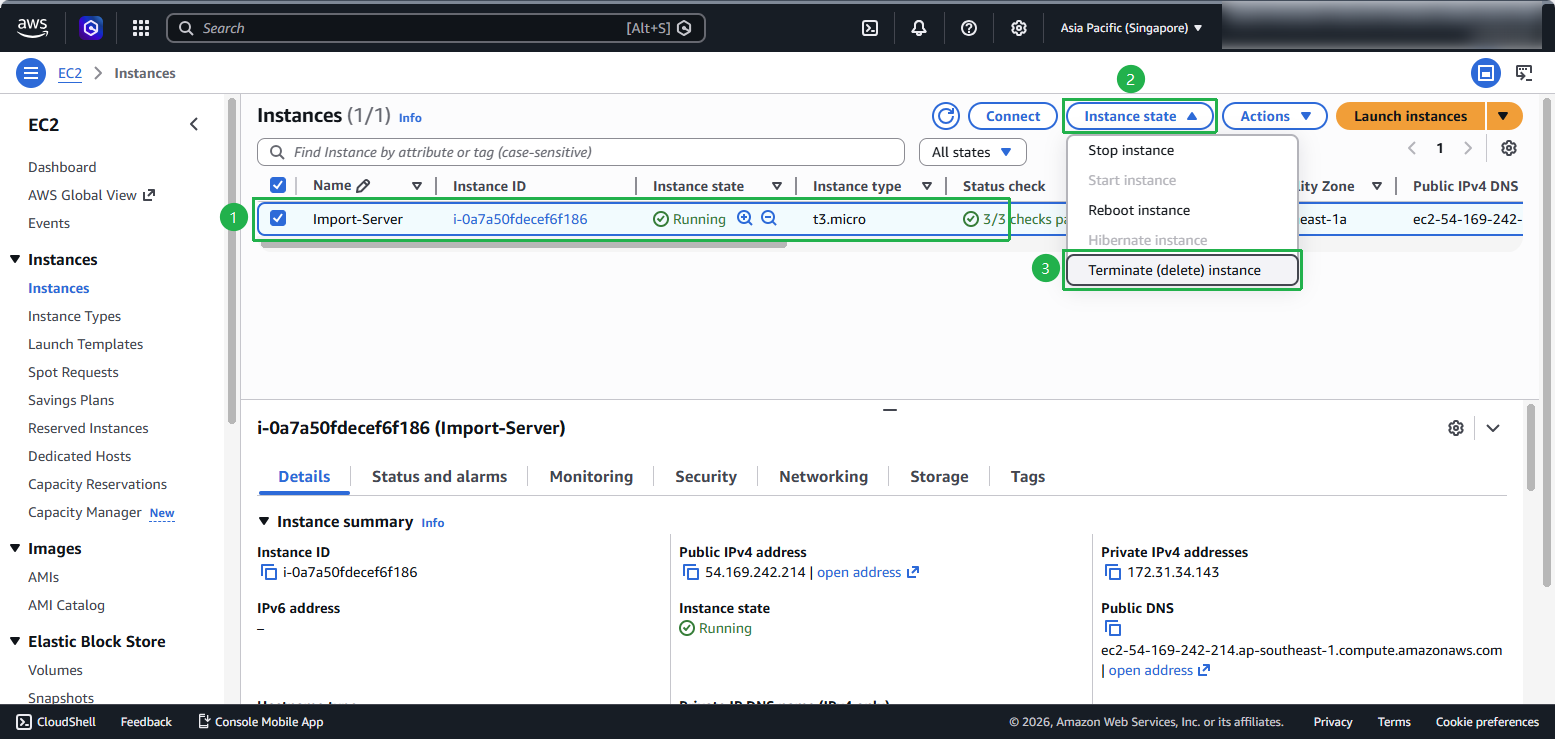
- Truy cập EC2 console
- Trong navigation pane, chọn Instances
- Chọn EC2 Instance liên quan tới bài lab
- Chọn Instance State > Terminate (delete)
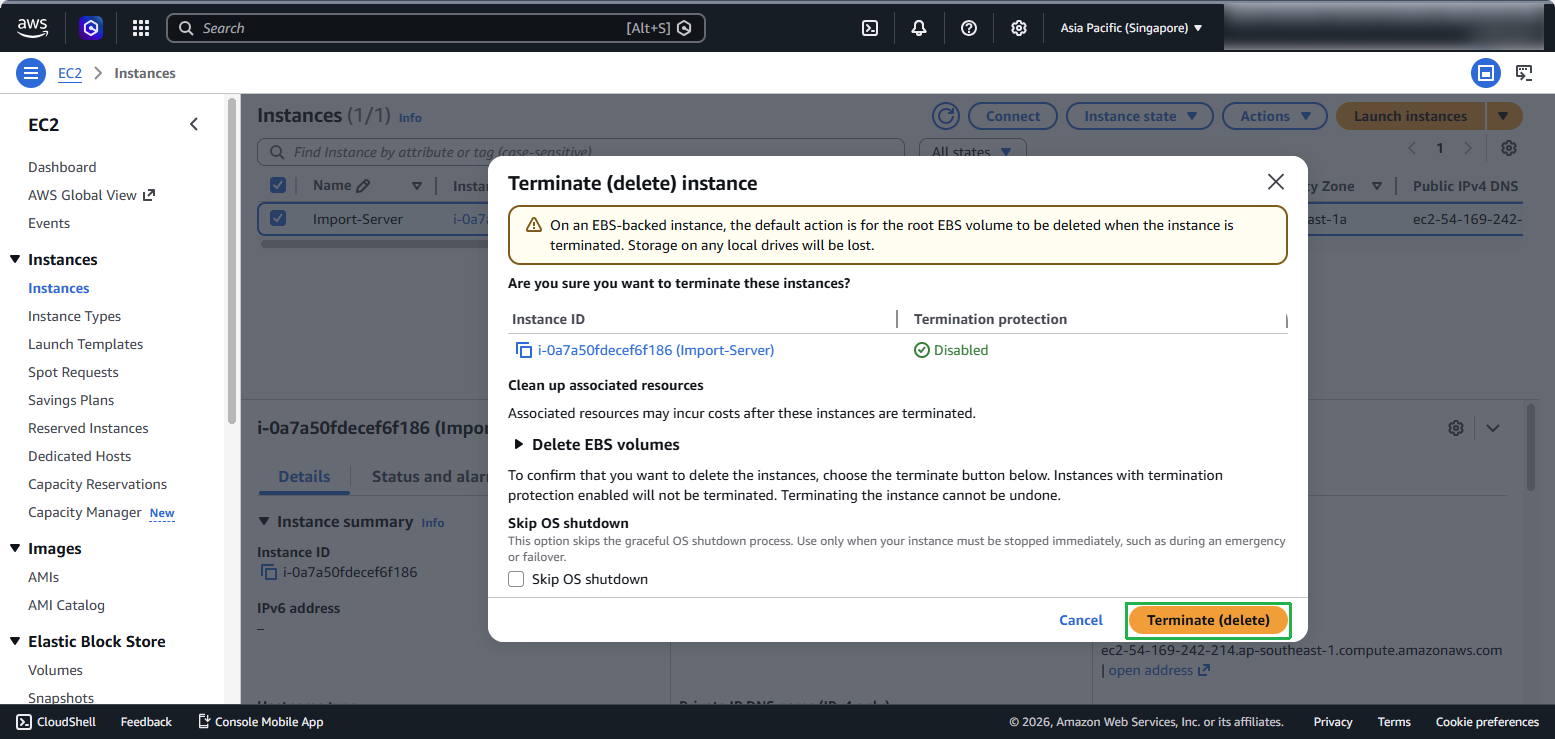
- Xác nhận bằng cách chọn Terminate (delete) instance
2. Xóa 2 AMI
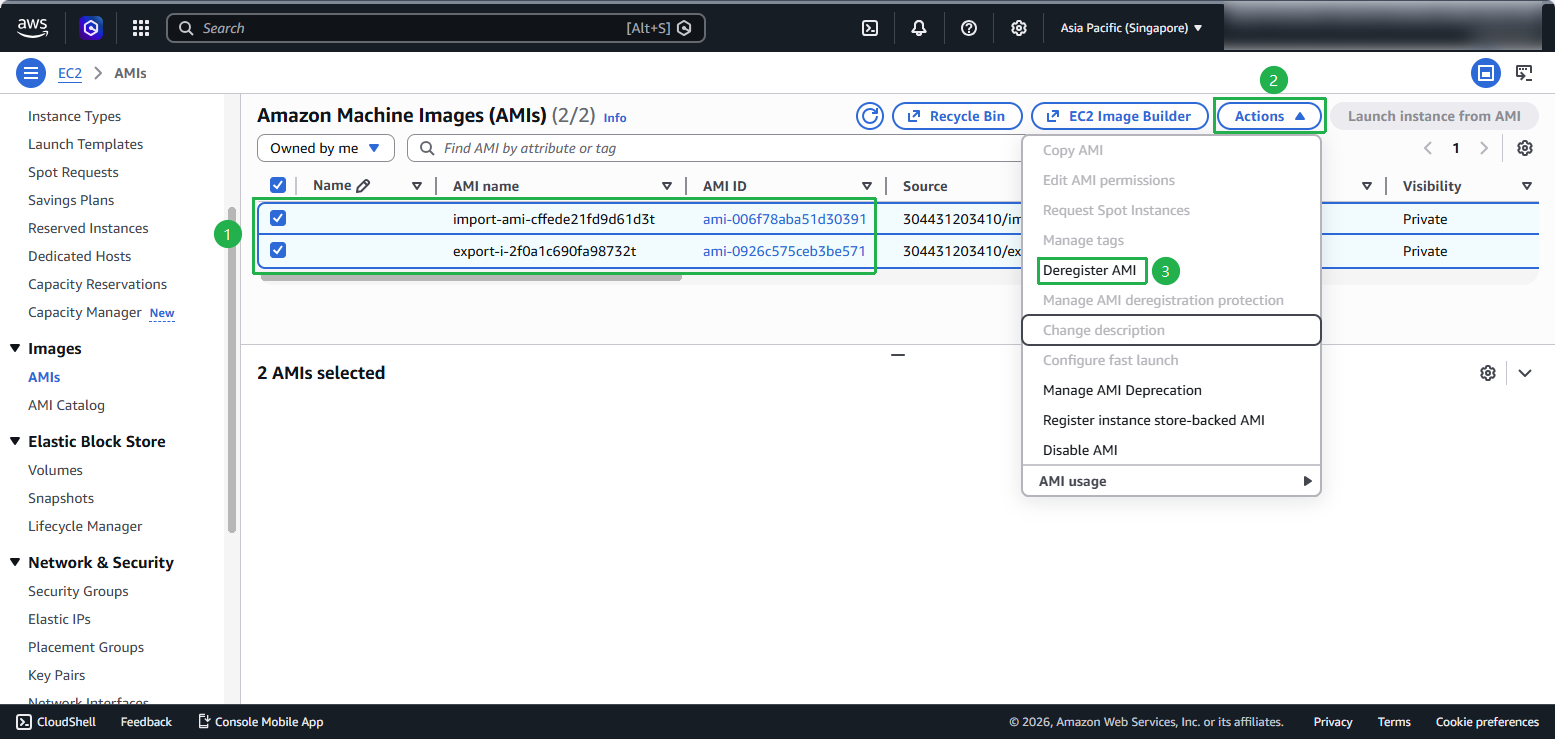
- Trong EC2 console, chọn AMIs từ navigation pane
- Chọn AMI liên quan tới bài lab
- Chọn Actions > Deregister AMI
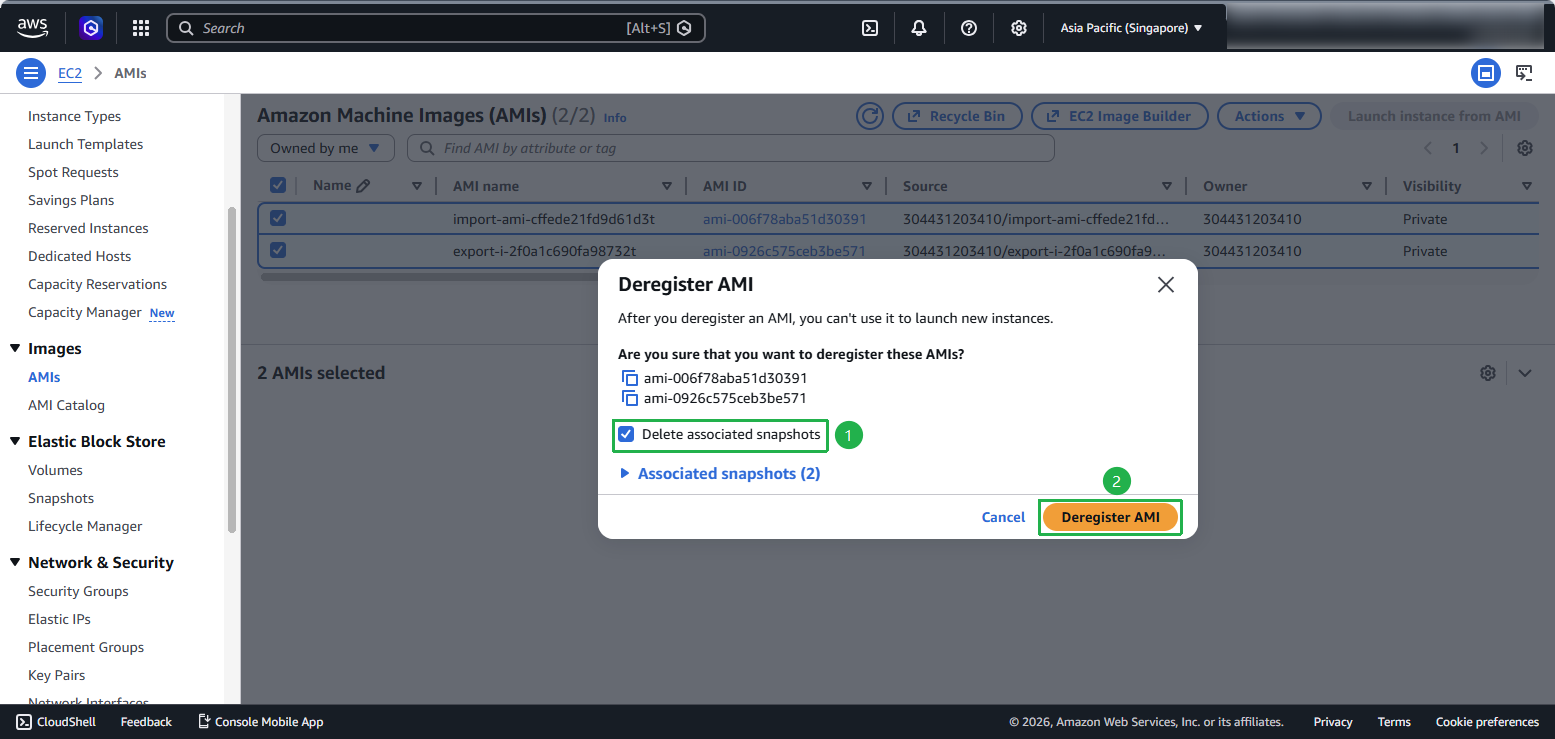
- Tại cửa sổ Deregister AMI, tích chọn Delete associated snapshots và nhấn nút Deregister AMI để xác nhận xóa hoàn toàn bản sao lưu cùng các dữ liệu liên quan.
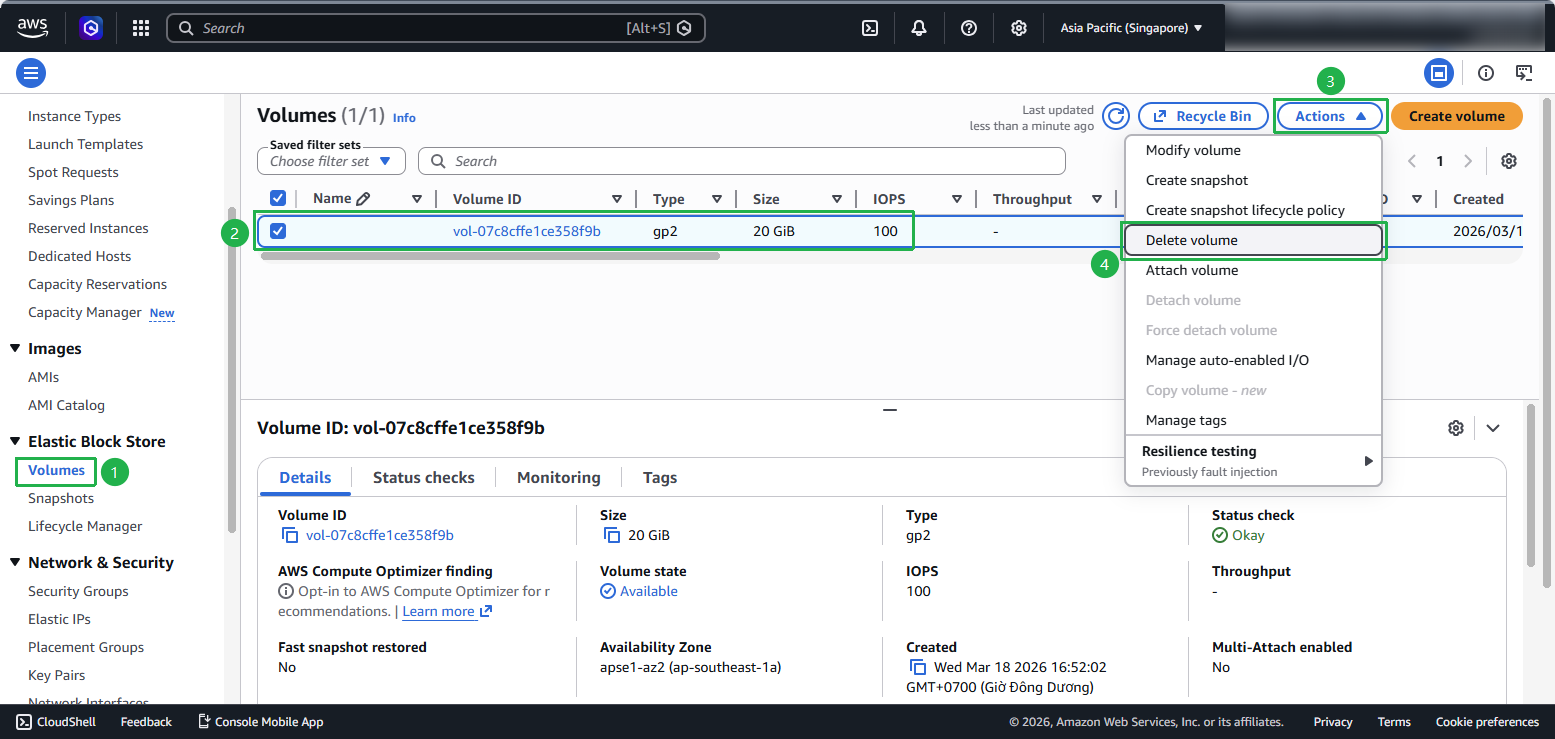
3. Xóa Volume
- Trong EC2 console, chọn Volumes từ navigation pane
- Chọn Volume liên quan tới bài lab
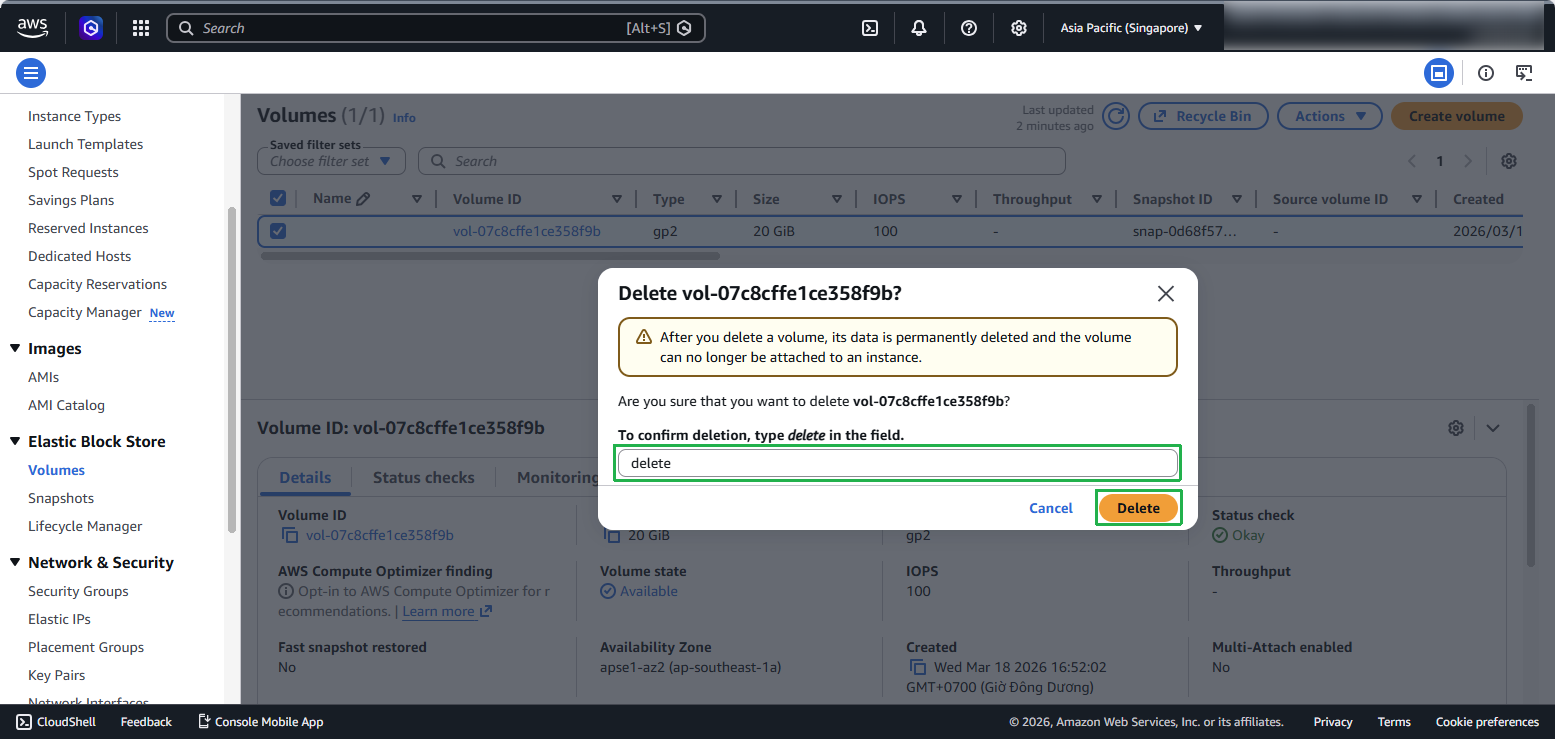
- Chọn Actions > Delete Volume
- Xác nhận bằng cách chọn Delete
4. Xóa S3 Bucket
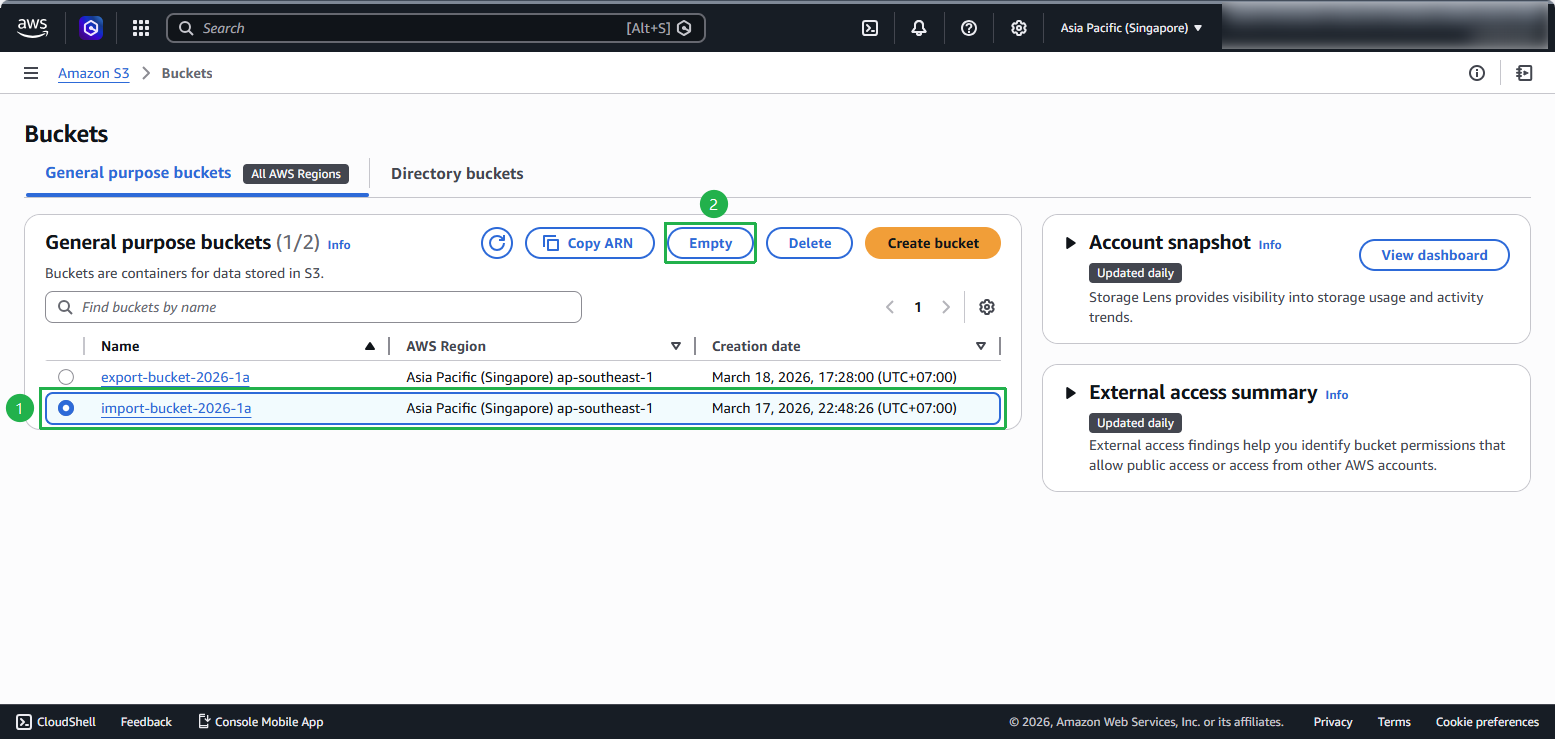
- Truy cập S3 console
- Chọn bucket liên quan tới bài lab
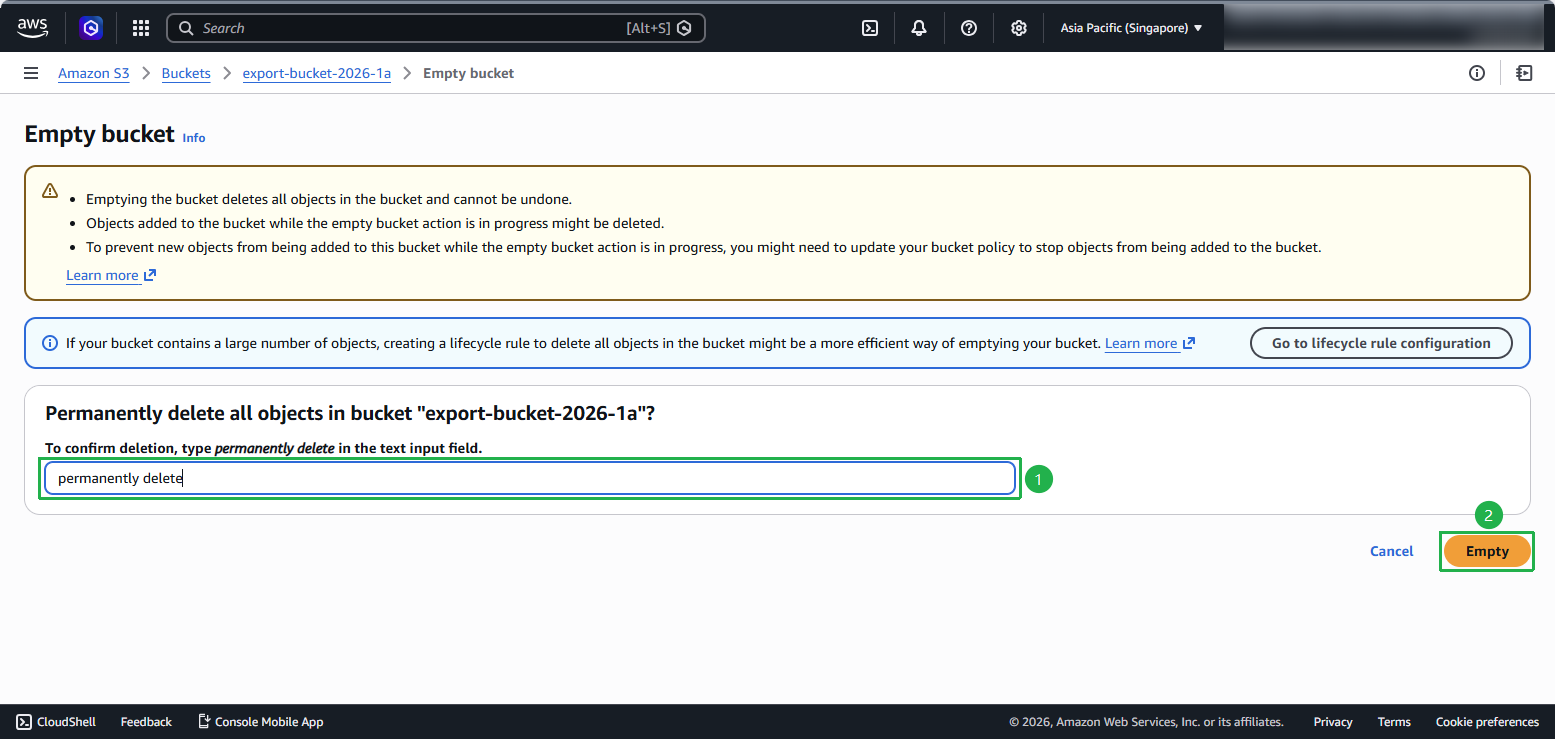
- Chọn Empty để xóa tất cả objects trong bucket
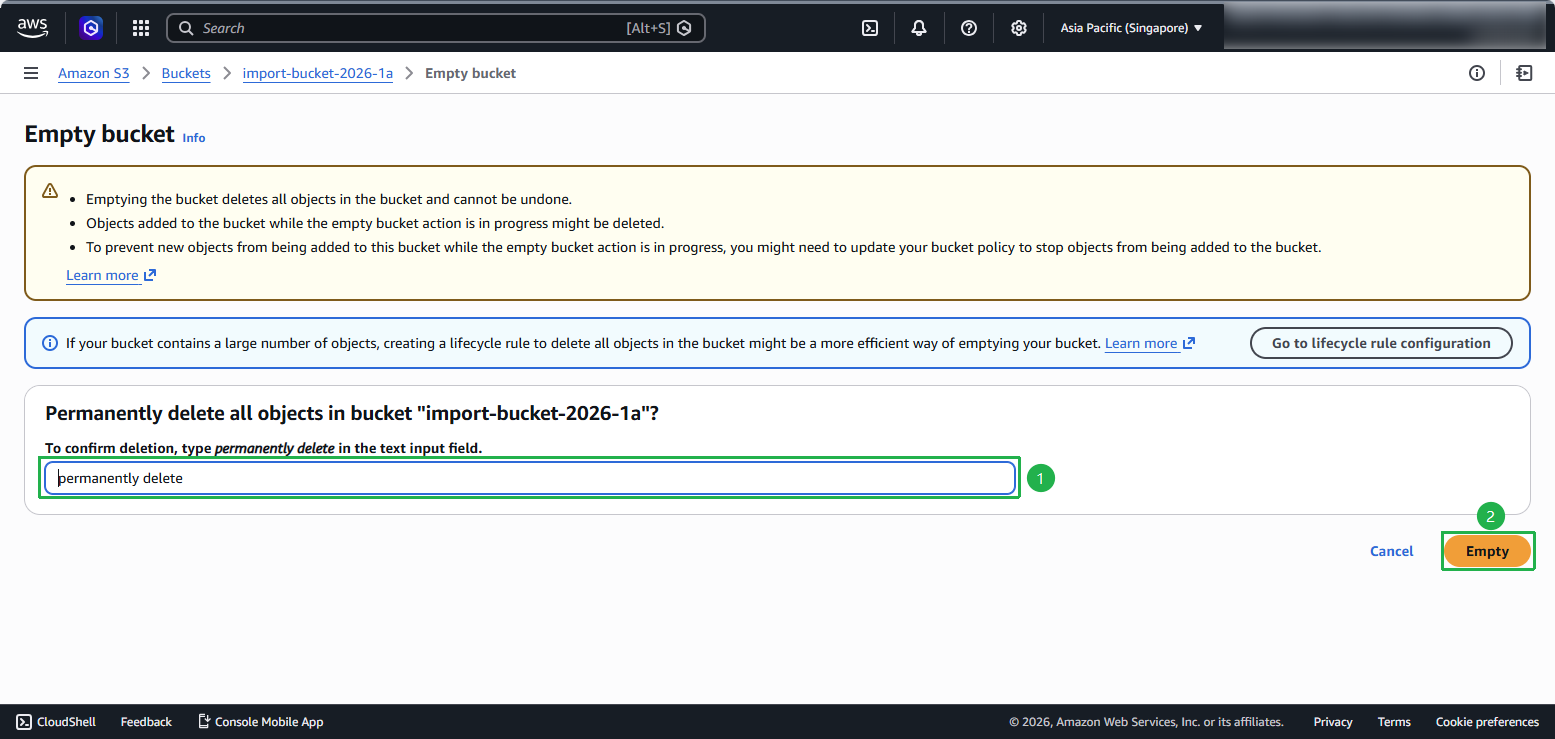
- Nhập permanently delete để xác nhận và chọn Empty
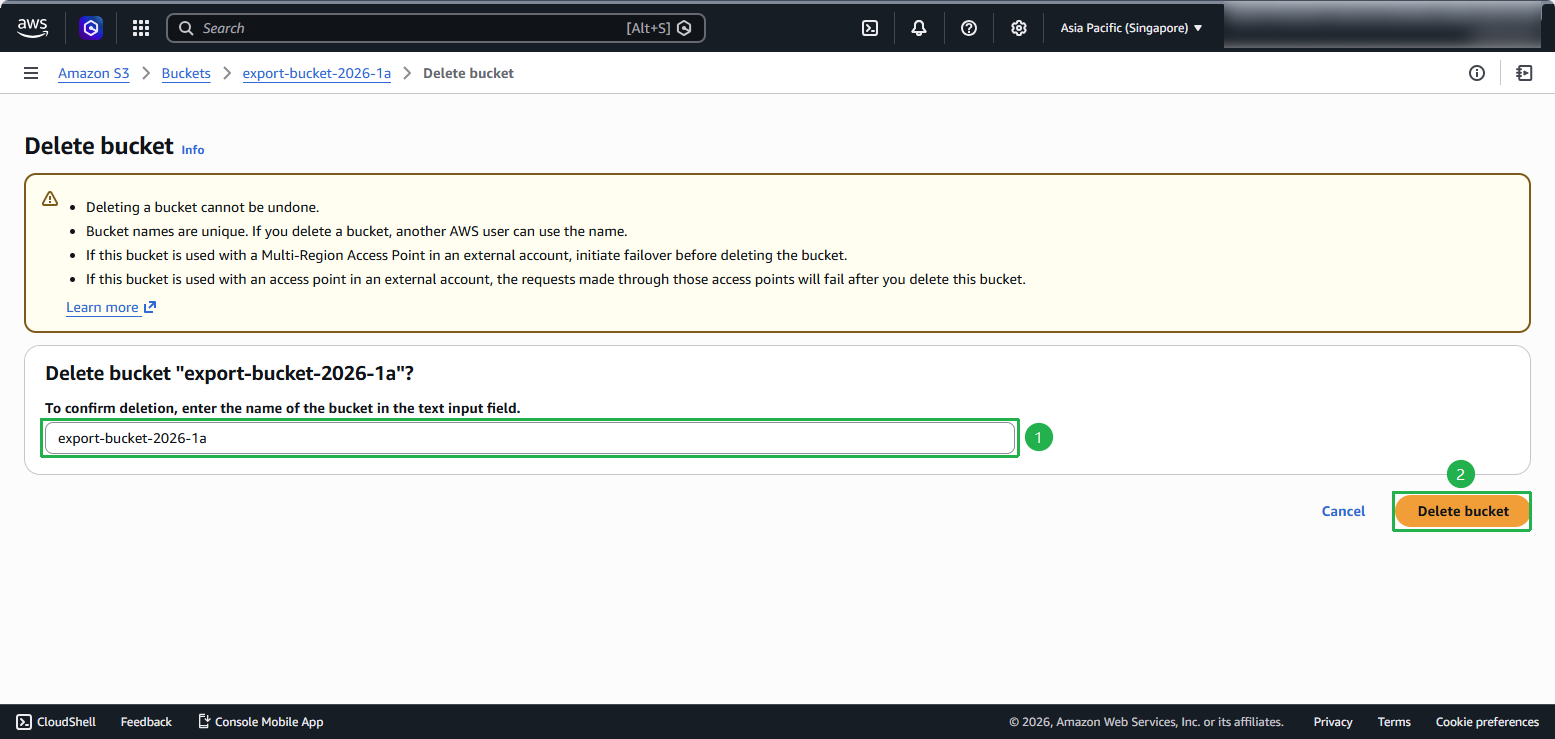
- Sau khi bucket trống, chọn Delete
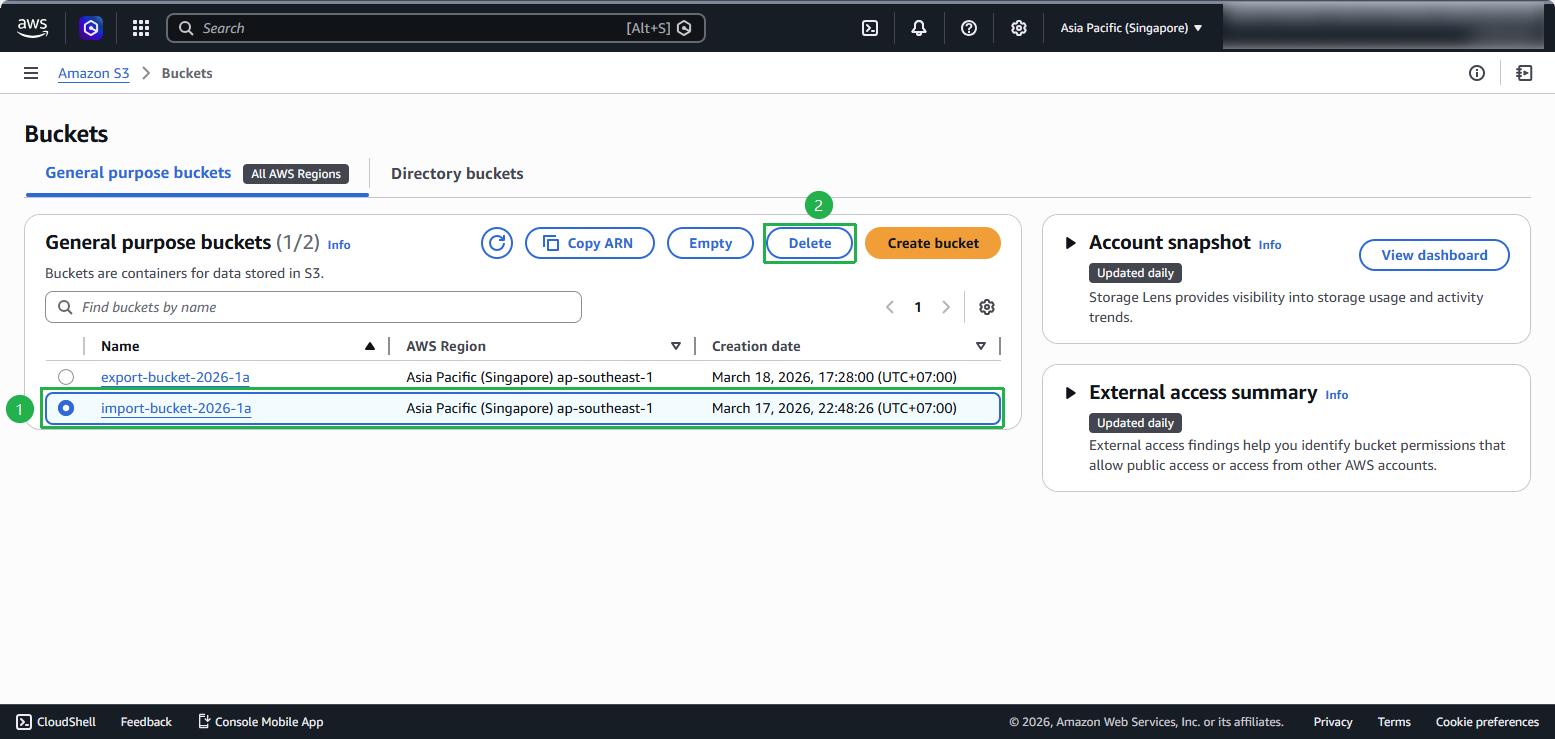
- Nhập tên bucket để xác nhận việc xóa và chọn Delete bucket
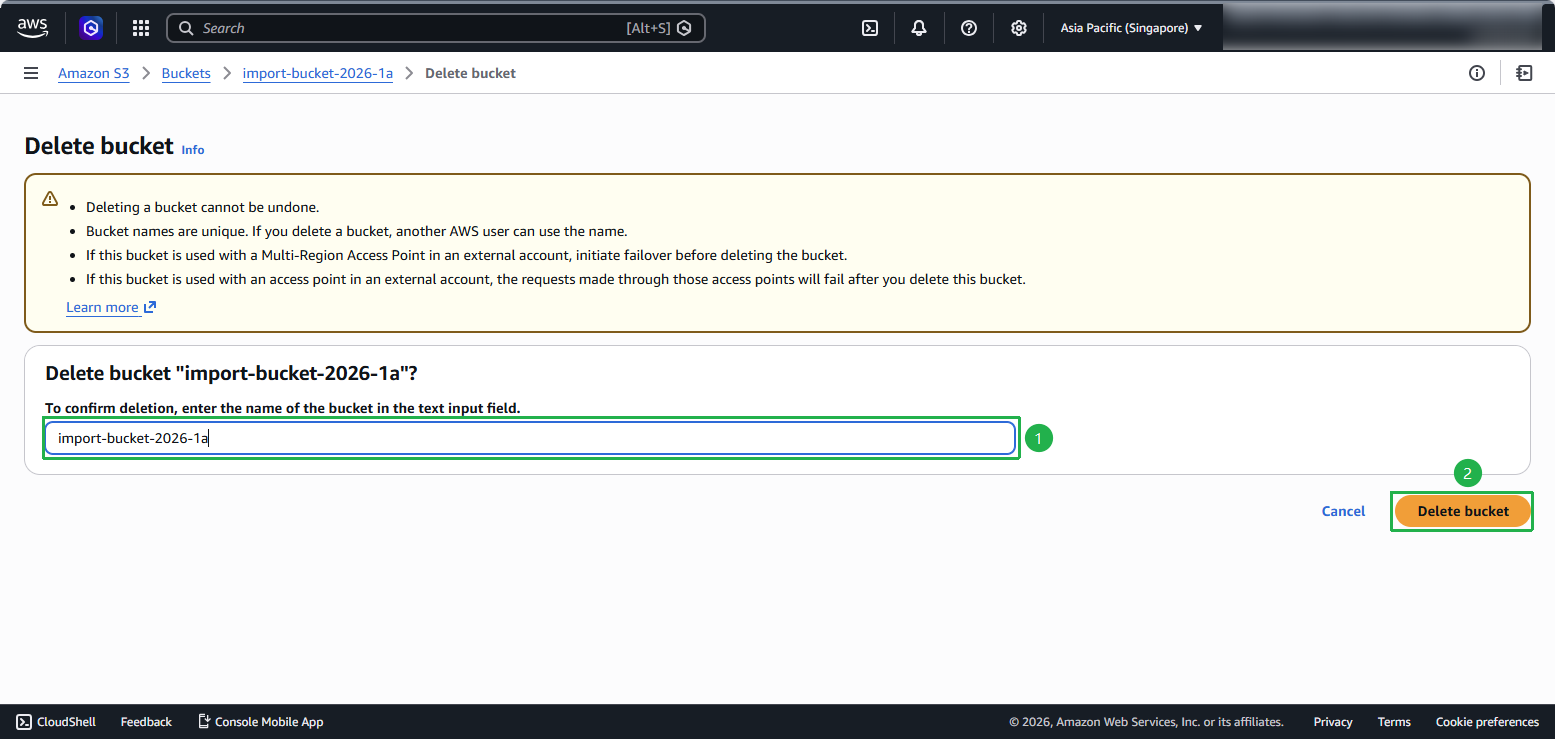
- Lặp lại cho tất cả buckets liên quan tới bài lab
- Nhập permanently delete để xác nhận và chọn Empty
- Nhập tên bucket để xác nhận việc xóa và chọn Delete bucket
5. Giữ lại IAM Role để sử dụng trong tương lai
Đối với IAM Role vmimport, bạn có thể giữ lại để sử dụng trong tương lai.