Resource Cleanup on AWS Cloud
Resource Cleanup on AWS Cloud
In this section, you will clean up resources on AWS Cloud to avoid incurring unnecessary costs.
1. Delete EC2 Instance
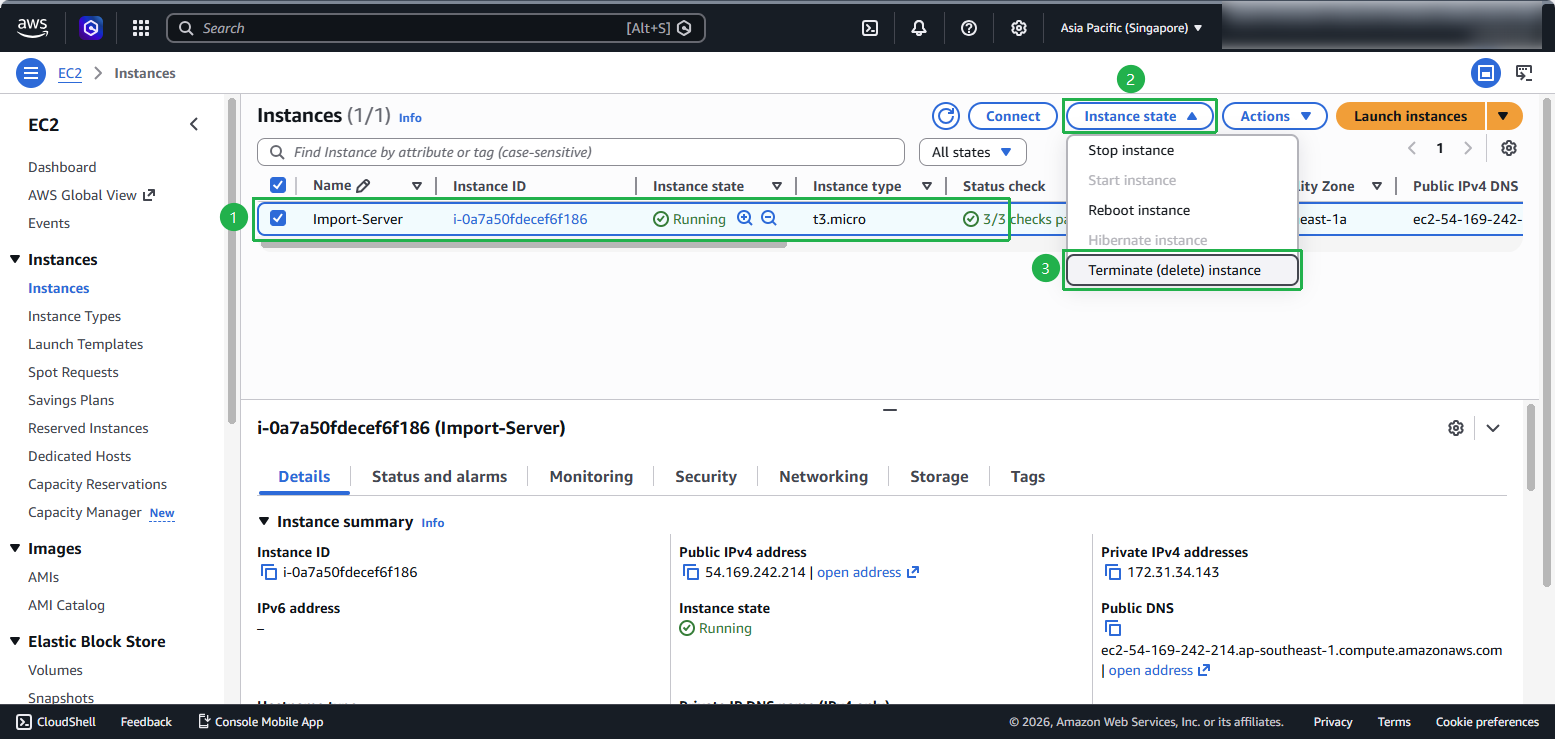
- Access the EC2 console
- In the navigation pane, select Instances
- Select the EC2 Instance related to the lab
- Select Instance State > Terminate (delete)
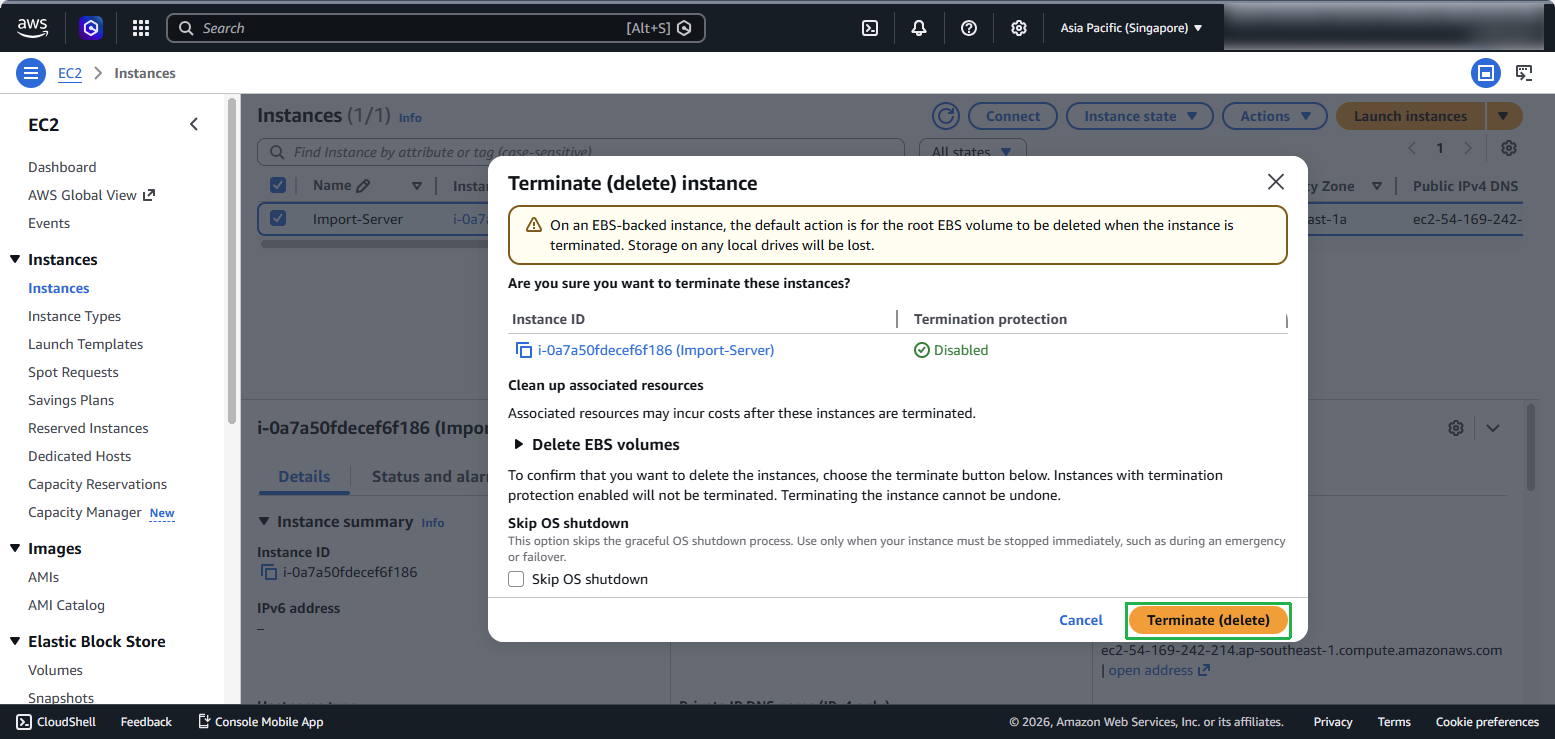
- Confirm by clicking Terminate (delete) instance
2. Delete 2 AMIs
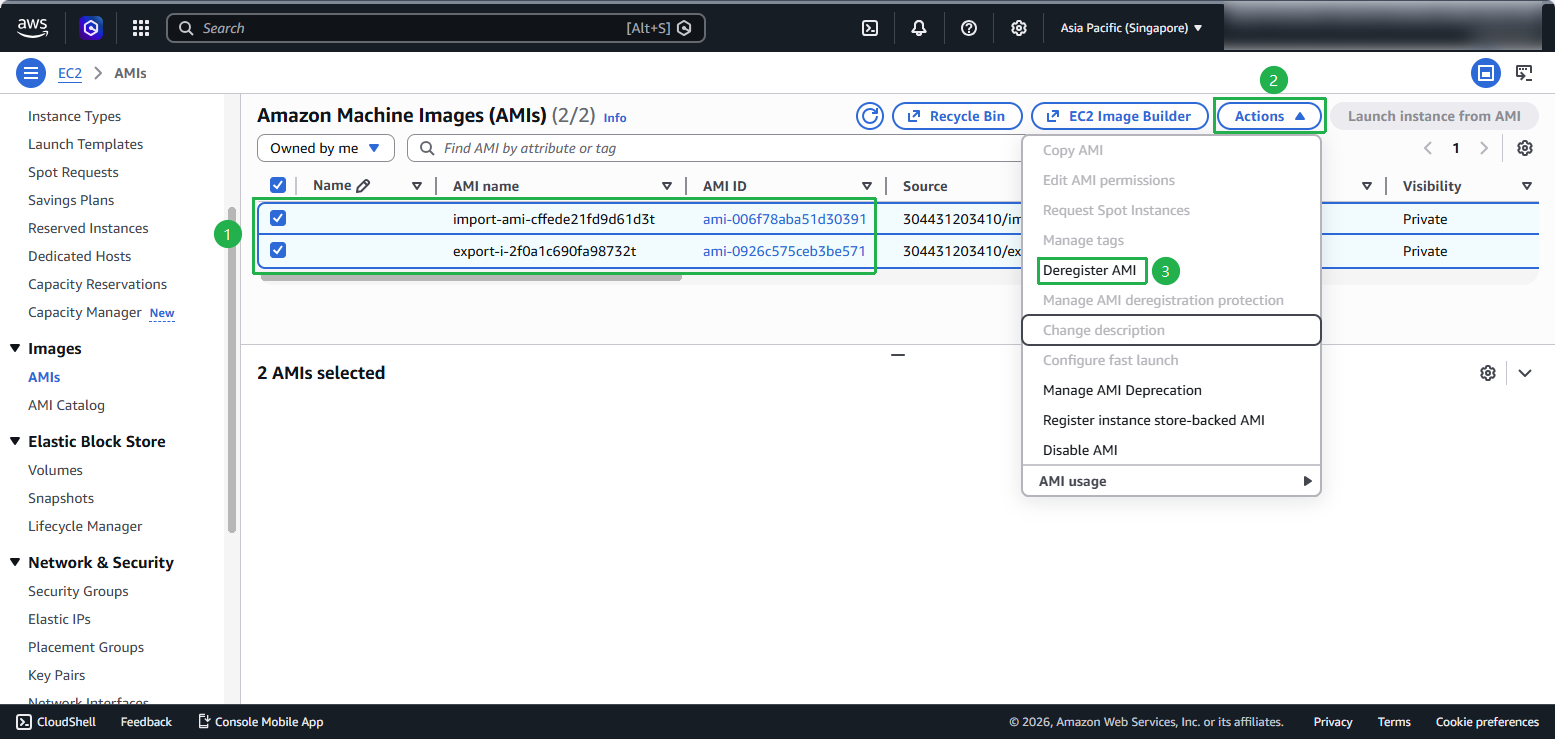
- In the EC2 console, select AMIs from the navigation pane
- Select the AMI related to the lab
- Select Actions > Deregister AMI
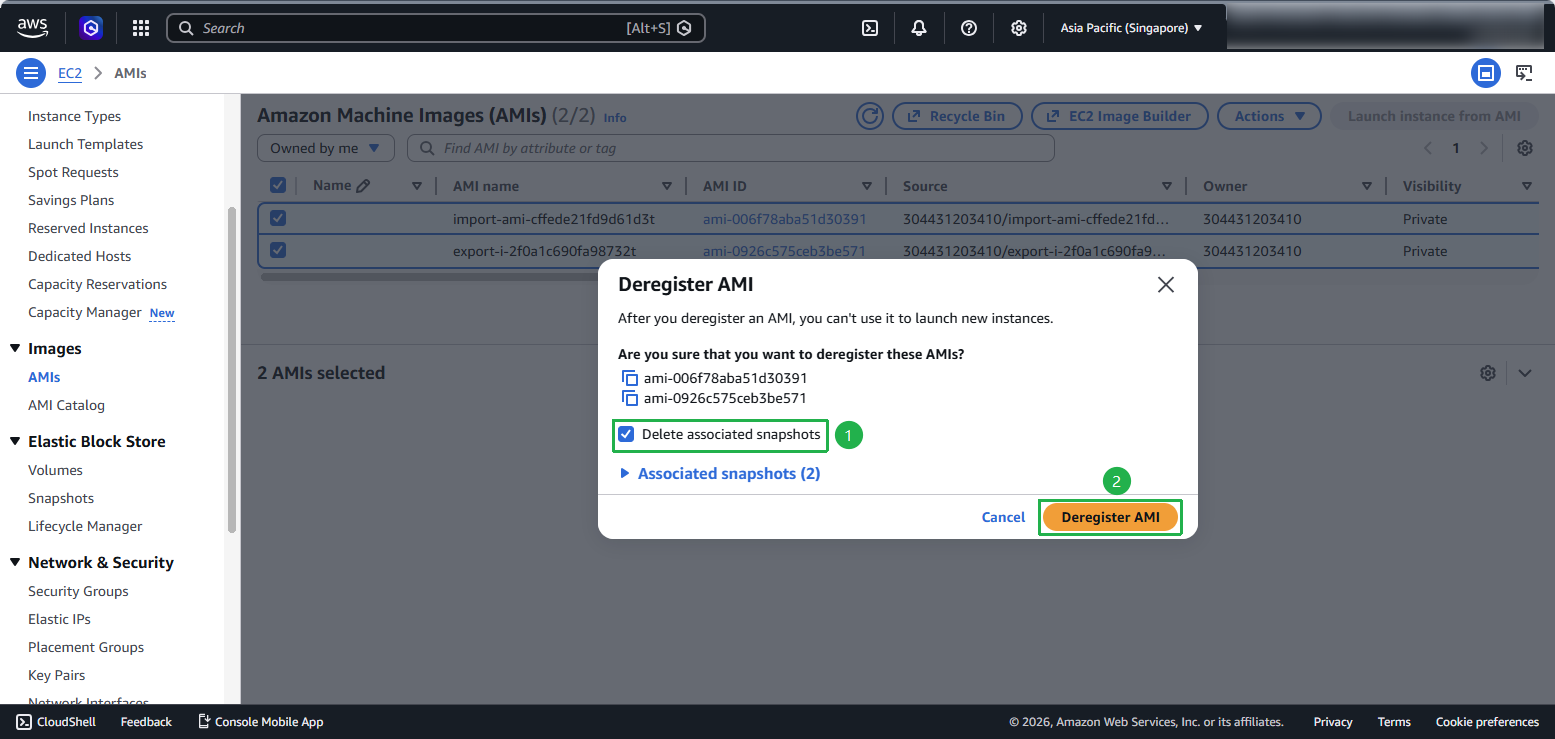
- In the Deregister AMI window, check Delete associated snapshots and click Deregister AMI to confirm complete deletion of the backup and related data.
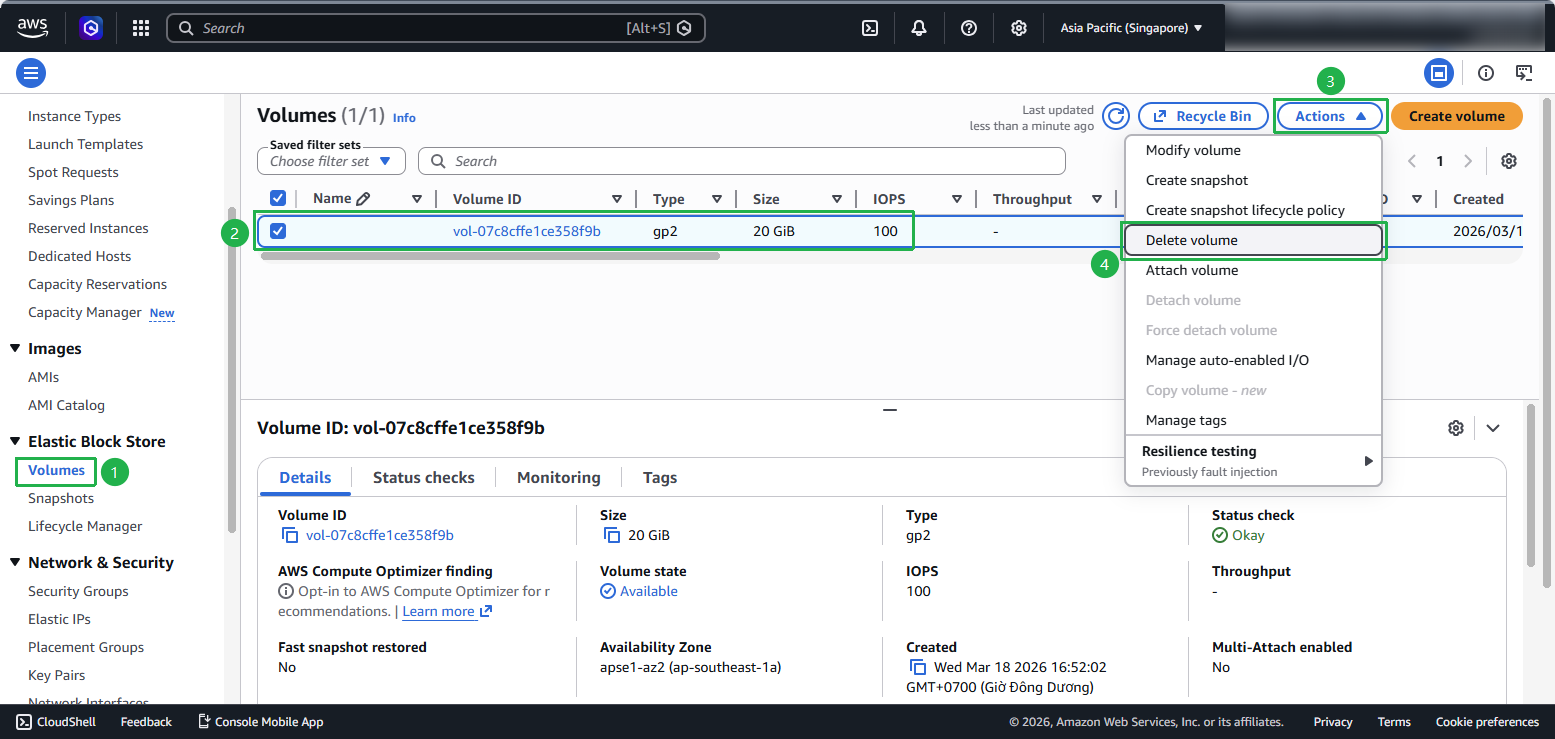
3. Delete Volume
- In the EC2 console, select Volumes from the navigation pane
- Select the Volume related to the lab
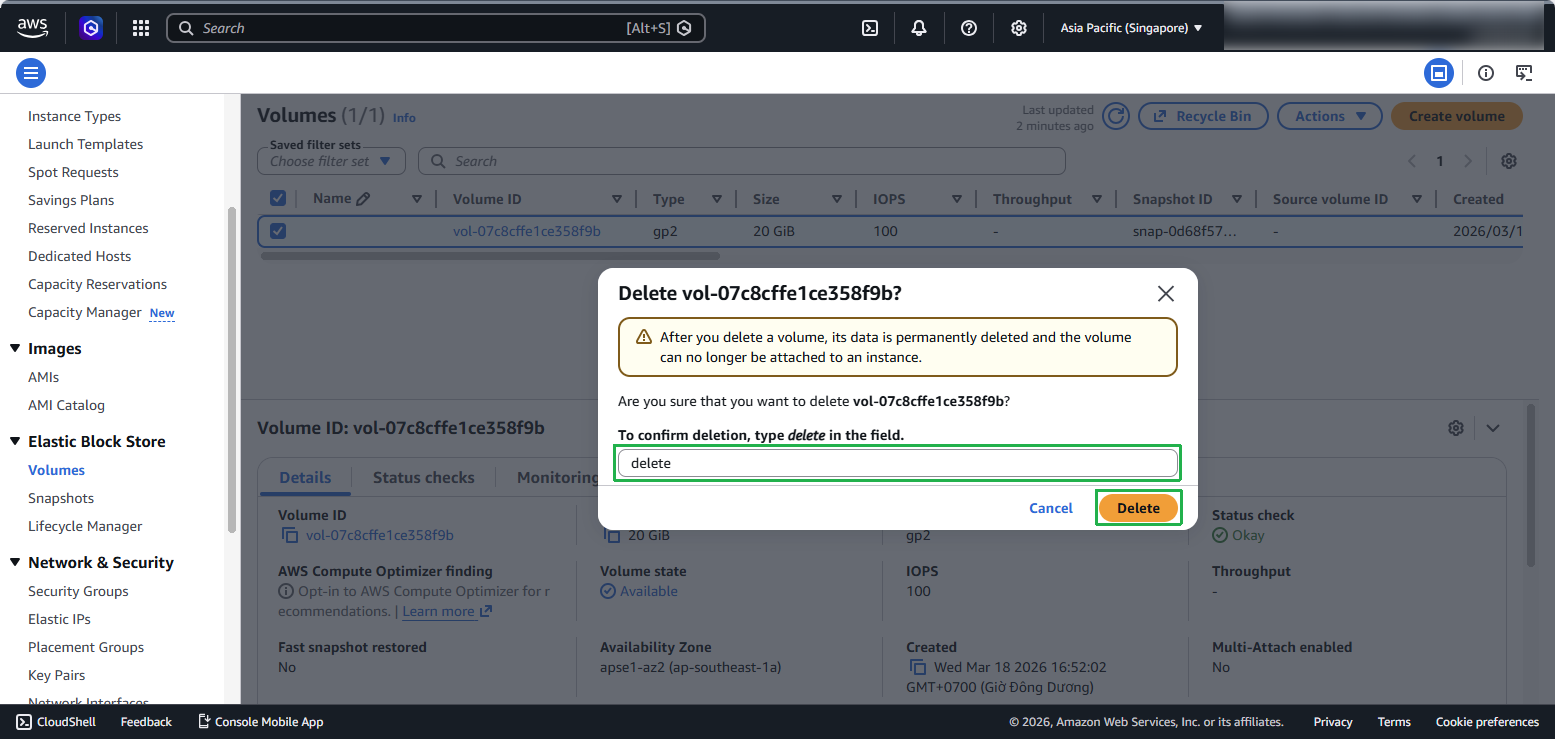
- Select Actions > Delete Volume
- Confirm by clicking Delete
4. Delete S3 Bucket
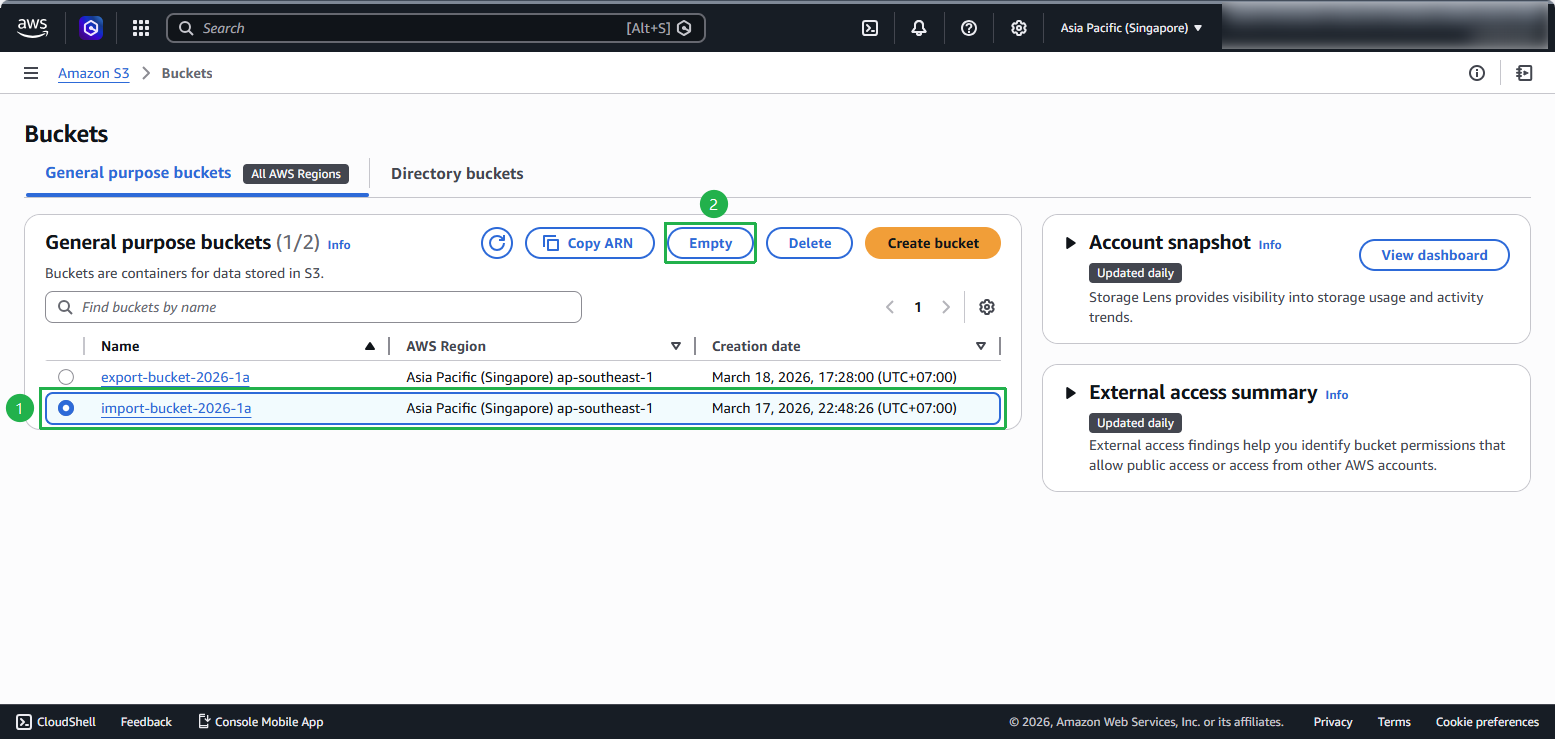
- Access the S3 console
- Select the bucket related to the lab
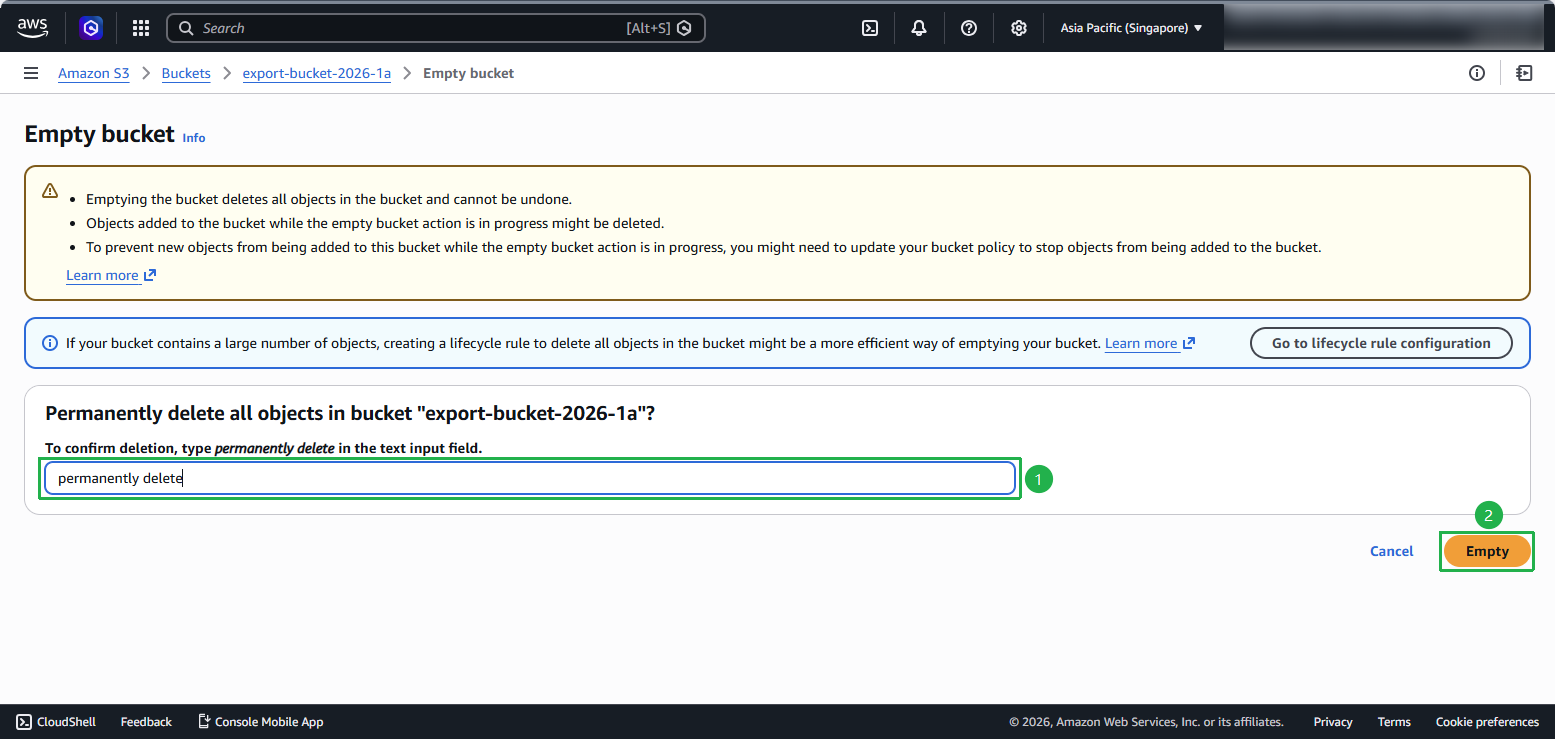
- Select Empty to delete all objects in the bucket
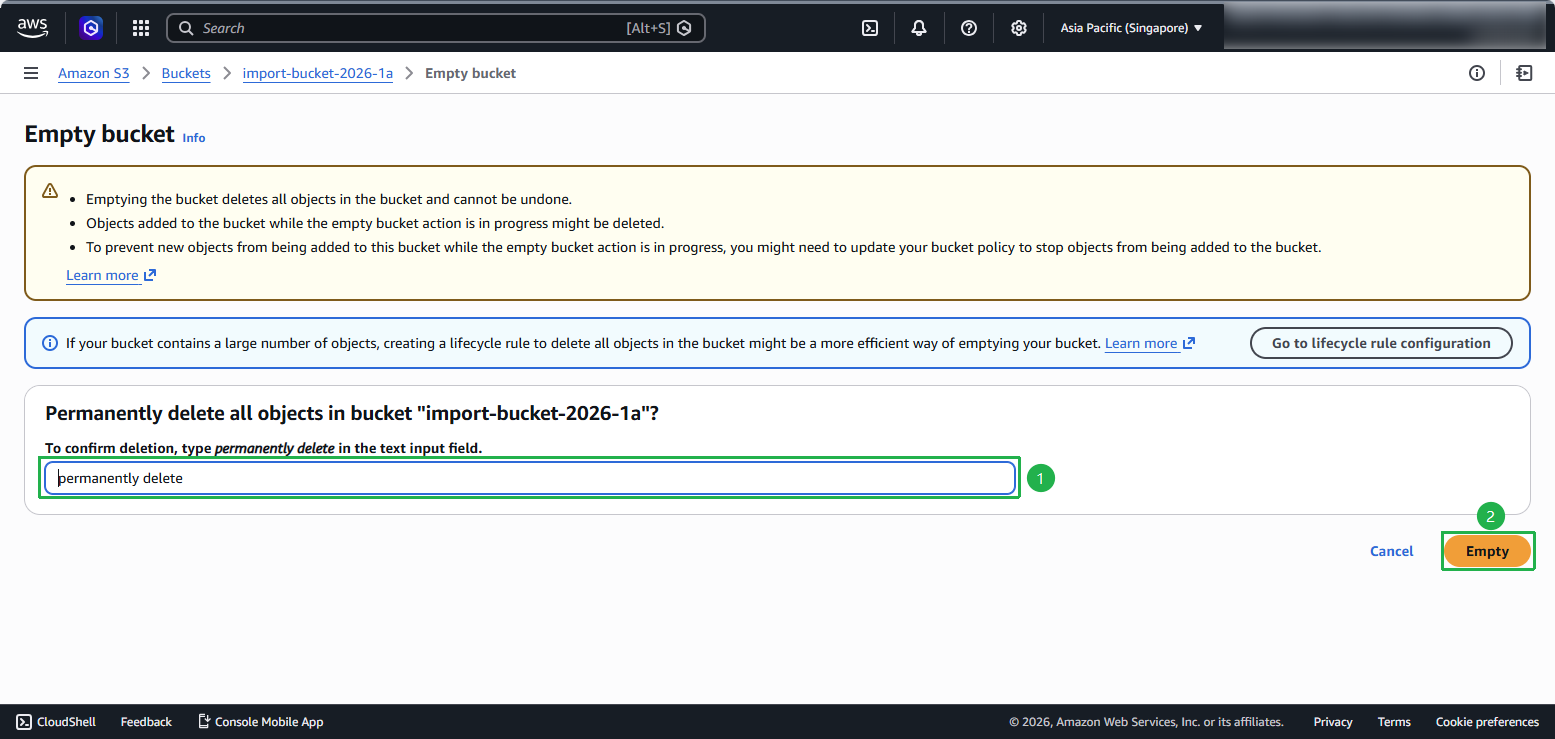
- Enter permanently delete to confirm and click Empty
- After the bucket is empty, select Delete
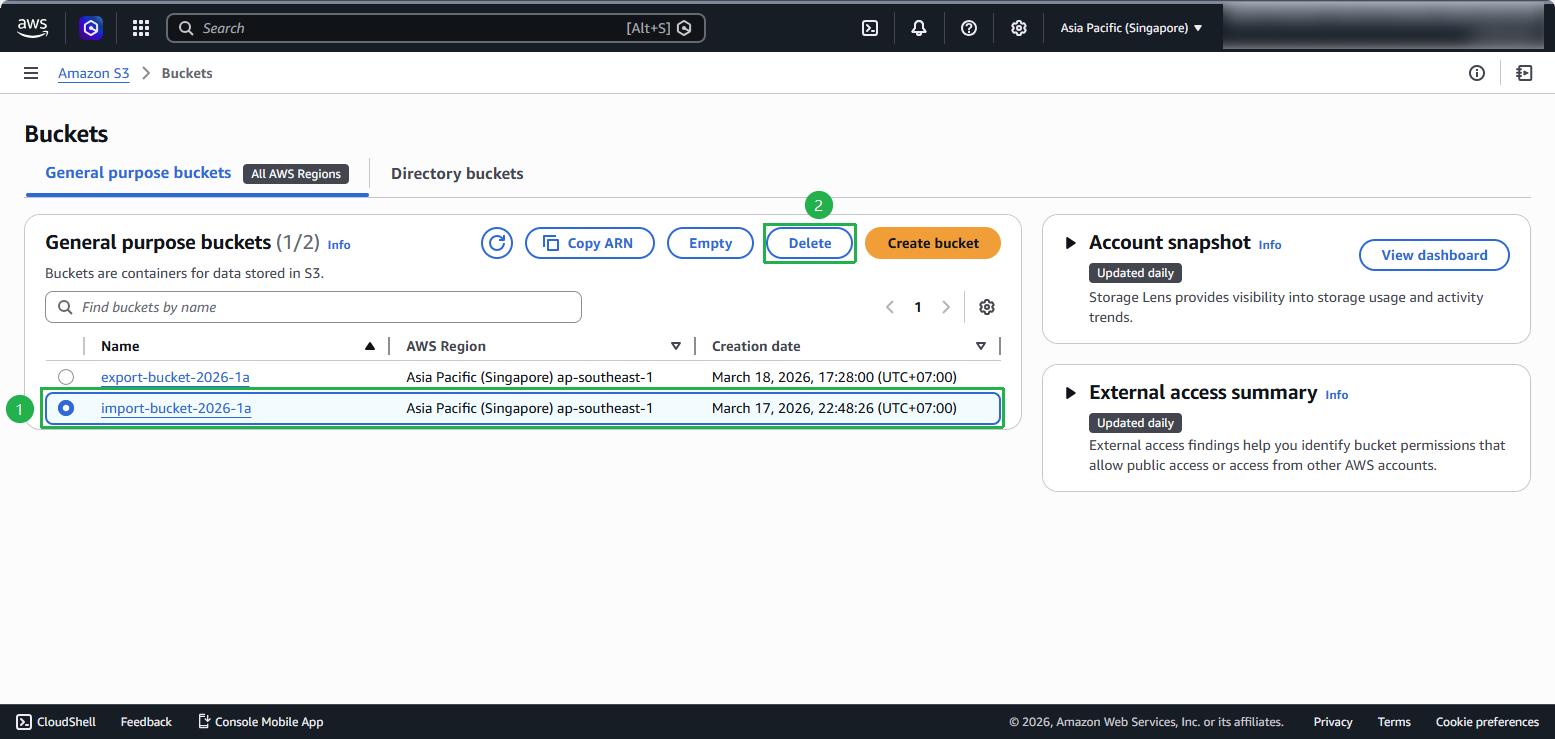
- Enter the bucket name to confirm the deletion and click Delete bucket
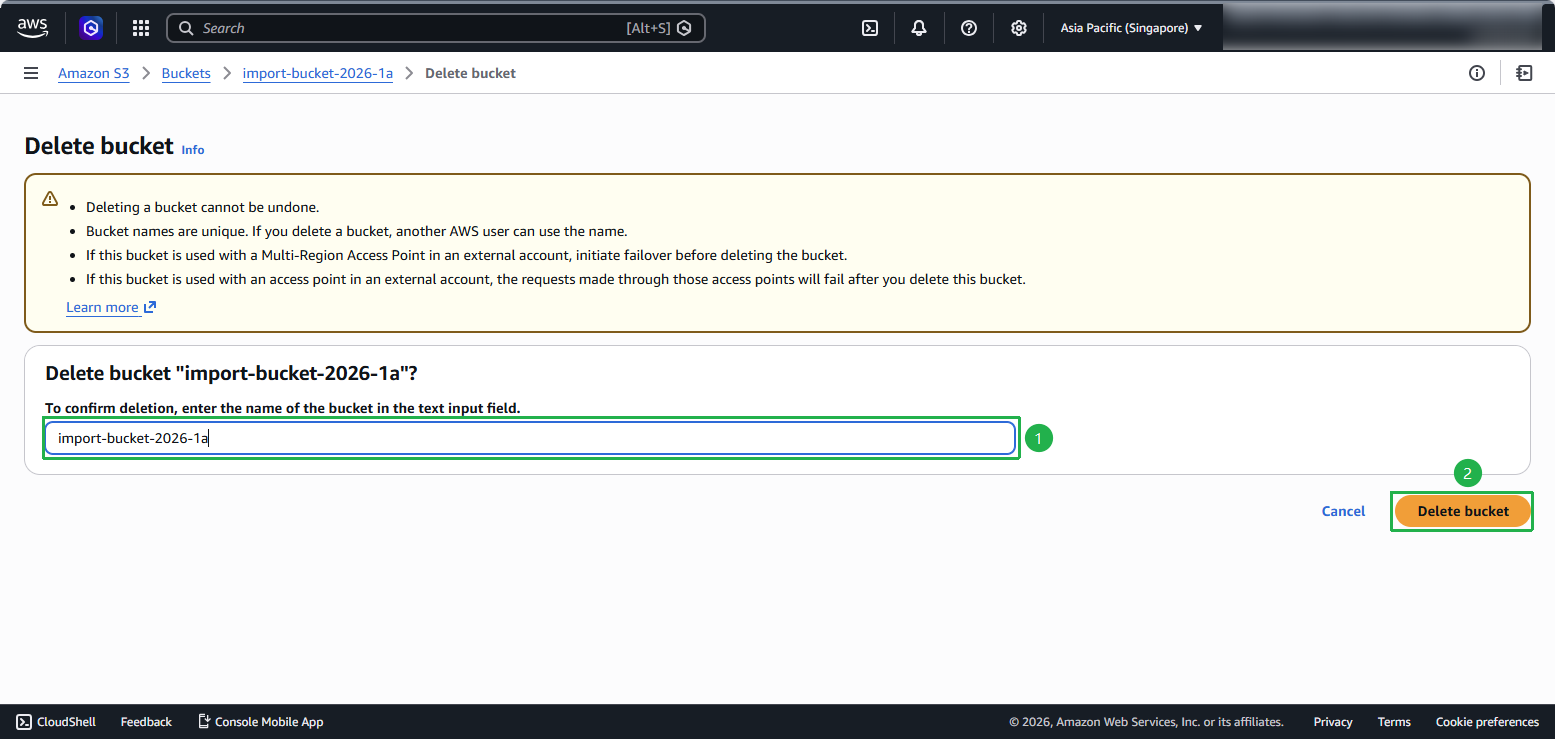
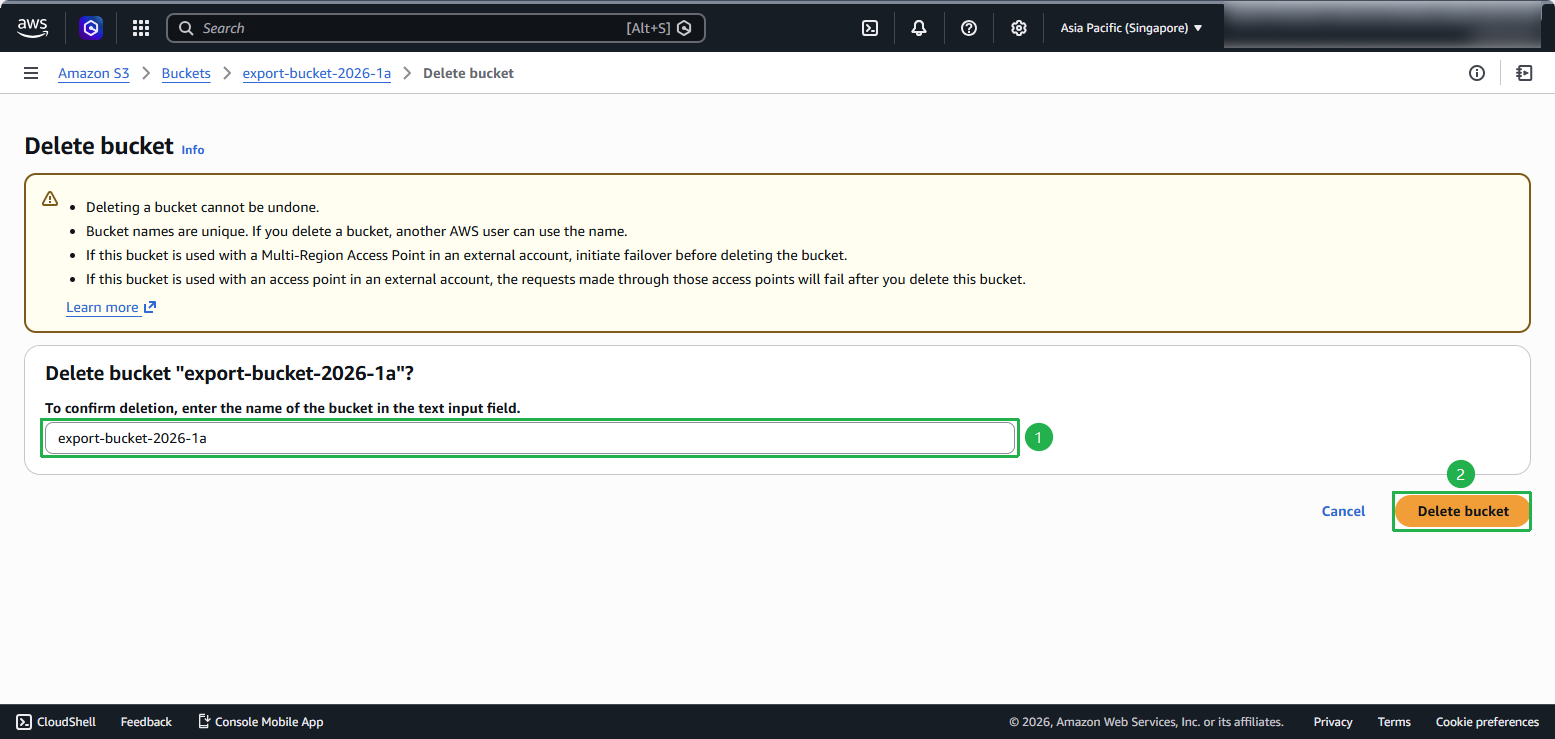
- Repeat for all buckets related to the lab
- Enter permanently delete to confirm and click Empty
- Enter the bucket name to confirm the deletion and click Delete bucket
5. Keep IAM Role for Future Use
For the IAM Role vmimport, you can retain it for future use.